SMS templates
Save reusable text messages with merge fields for the inbox and flows.
Templates are saved messages you can drop into a conversation or a flow instead of retyping: the reply to “what are your hours?”, the trial offer, the birthday promo. The Templates page shows them as a gallery of cards, each with a preview of the message and a menu for Preview, Edit, Duplicate, Use template, and Delete. Hover a card’s title to see the full name when it’s cut off.
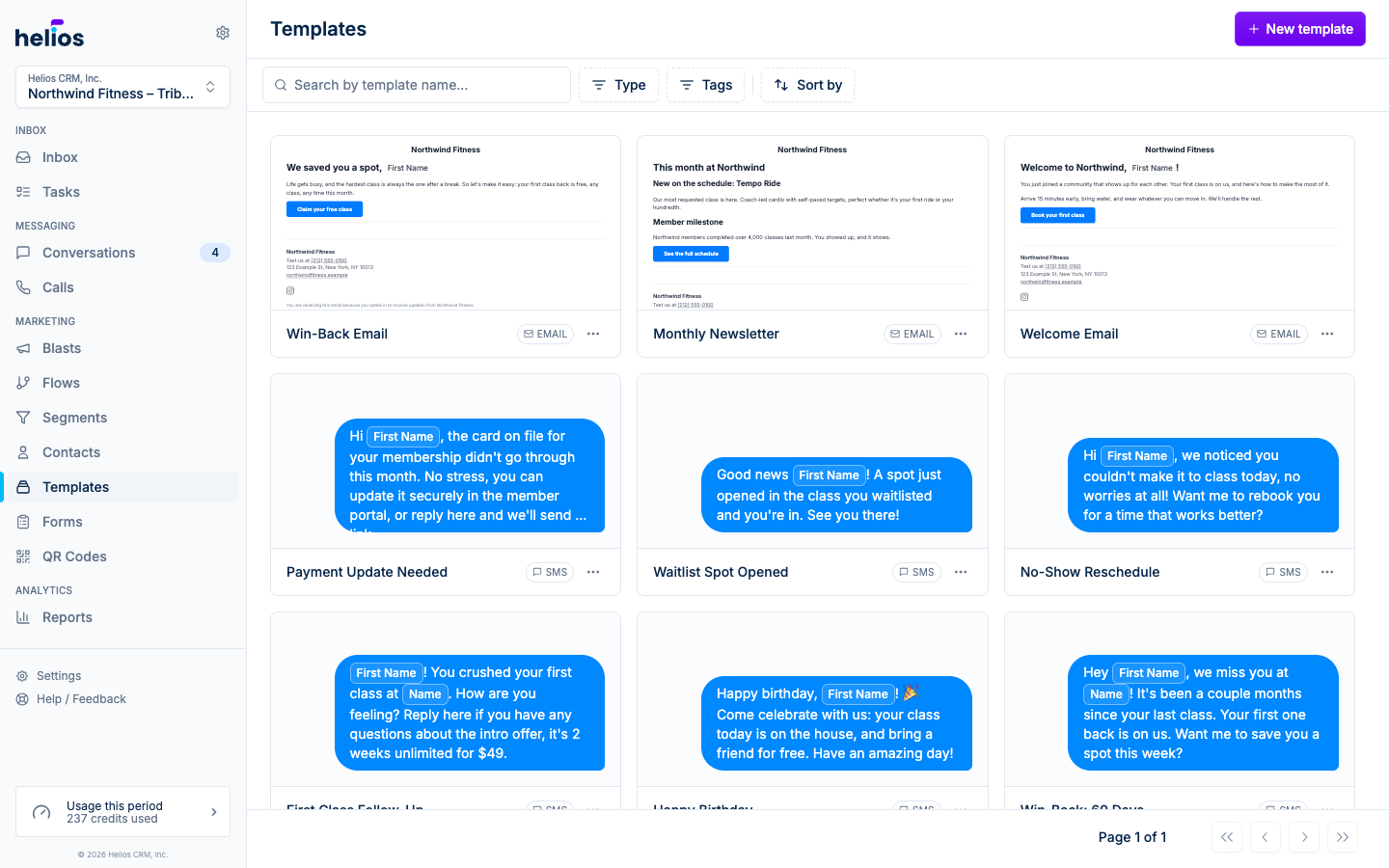
Create an SMS template
Click New template and choose Text message (with email enabled the button is a menu; otherwise it goes straight to the SMS editor).
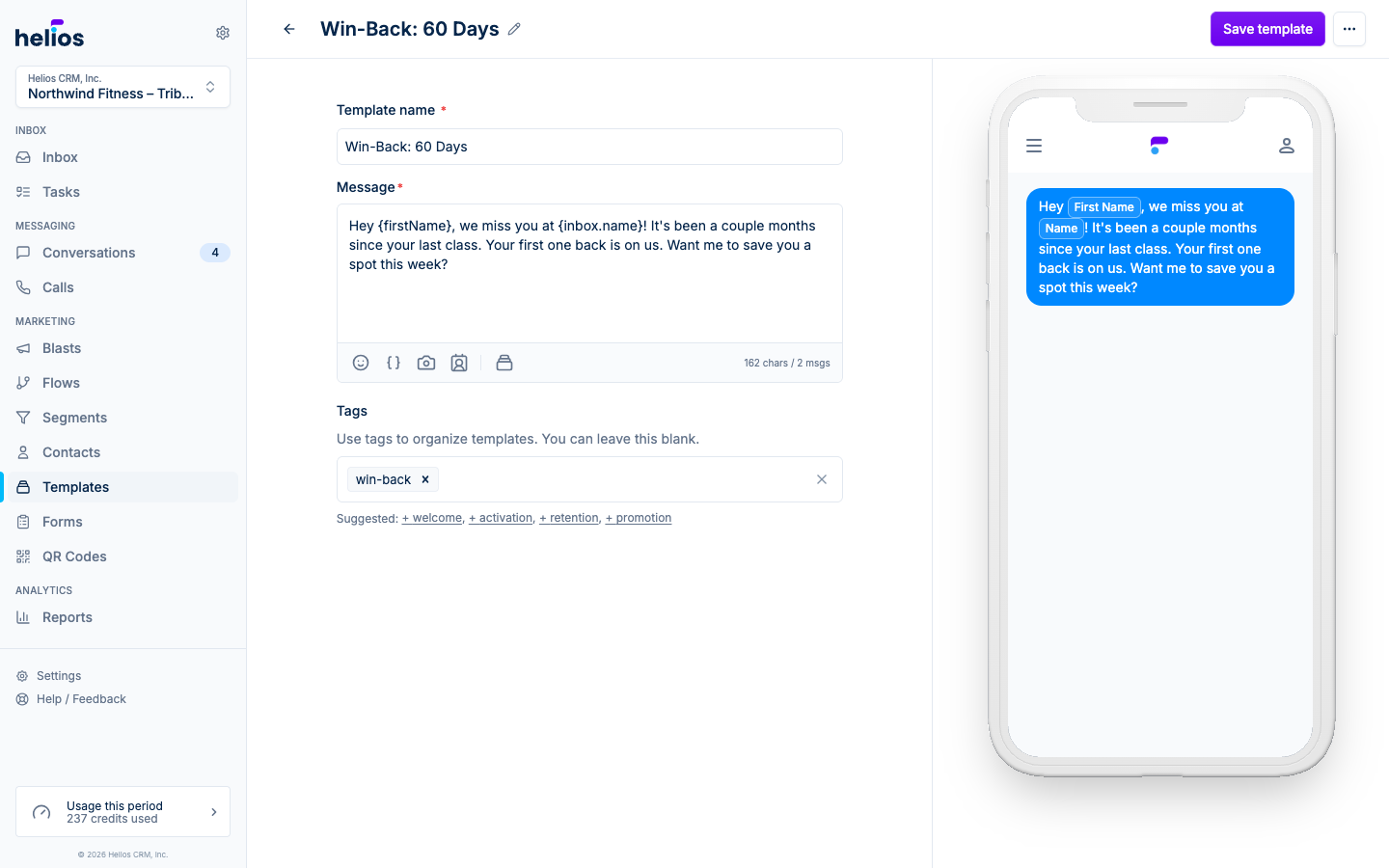
The editor has three fields:
- Template name: how the template appears in pickers (e.g. “Birthday promo”).
- Message: the text itself, with a character counter and the full composer toolbar: emoji, Insert field for merge fields like first name, and Insert template to build on an existing template.
- Tags: optional labels for organizing a large library. Suggested tags: welcome, activation, retention, promotion. Filter by tag on the Templates page.
A live phone preview shows the rendered message. Click Save template when it reads right.
Merge fields
Insert field drops contact properties into the message: first name, custom properties, and integration data. When the template is used, each recipient gets their own values, so “Hey Sam!” instead of “Hey there!” with zero extra effort.
Where SMS templates show up
- Inbox composer: the template picker in any conversation (tooltip: Insert template). Search by name, click to insert, keep editing before sending. There’s also a Create new template shortcut right in the picker.
- Flows: the Send text message action’s Use template mode.
Filtering and organizing
The Templates page filters by name search, type (Email / Text message), and Tags, and sorts by Newest / Oldest. If your team saves lots of templates, agree on tag conventions early. Future you will thank you.
Switch between Grid and List at the right of the filter bar. Grid (the default) shows a preview of each template. List shows one row per template with its subject or message, type, tags, and when it was last updated, which is faster for scanning a large library. Helios remembers your choice, and the view is part of the page link, so a shared link opens in the same view.