Stages
A board of who is in each step of the customer journey, from new lead to dormant member.
Stages is the inbox-style board of your locked lifecycle lists. Columns run left to right in the order people typically move: new lead, intro never visited, no-showed to first class, one class with no return, intro expires in 5 days, intro expired with no conversion, then member dormant 30 days.
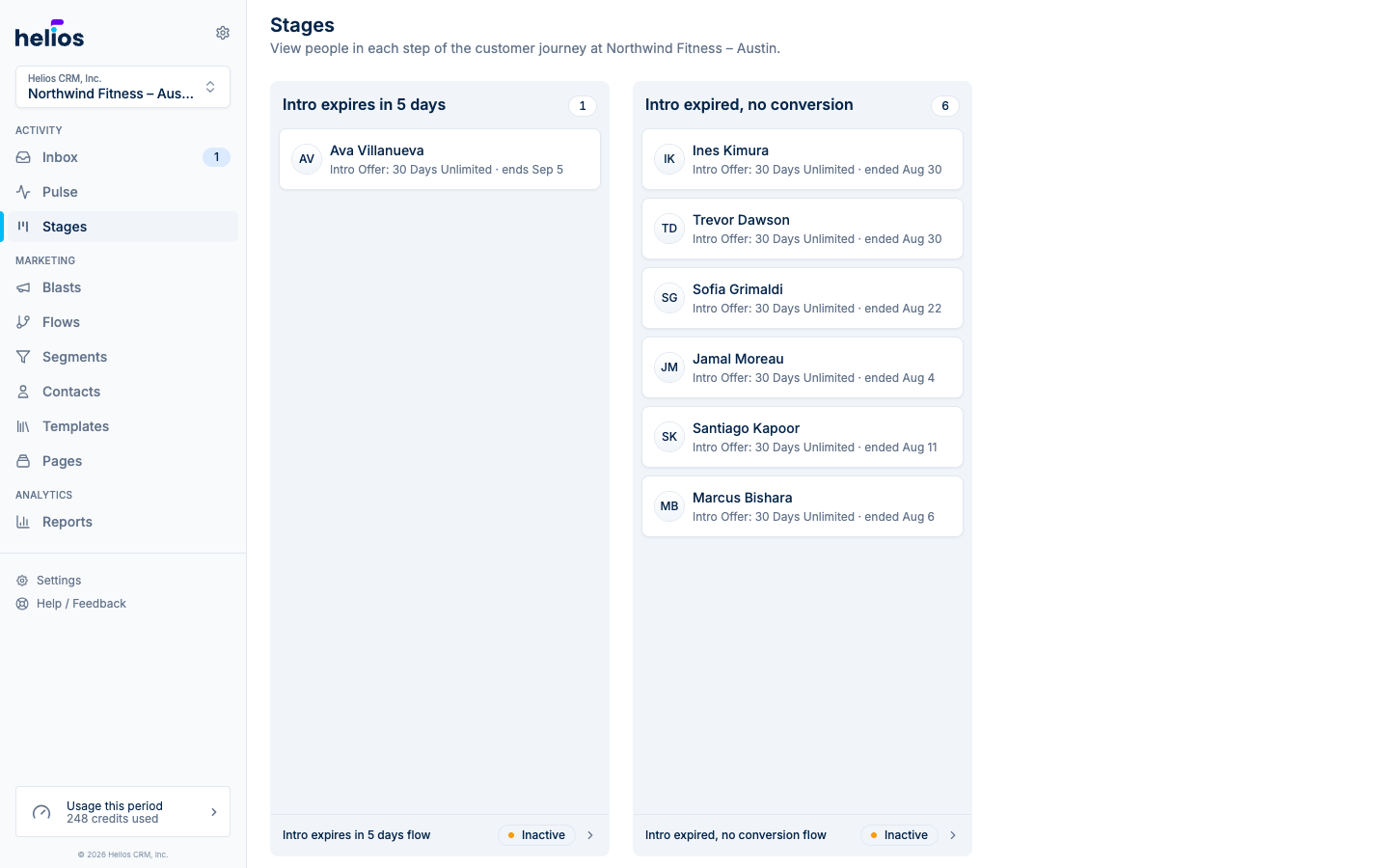
Each column is a list Helios keeps up to date from your booking system. The badge is how many people are in that bucket right now. Cards are the people. Click a card to open their contact profile on Overview, where you can review their membership, visits, and notes before following up. Click the column title to see the full segment.
The footer names the playbook flow for that stage, for example New lead flow. Active means it is already messaging people in the bucket, Inactive means it is not. Review the flow from there. Starting it still happens on the flow itself.
The columns
Helios shows the stages your gym has seeded, left to right along the journey. A gym without an intro offer will not show intro columns. Empty columns stay on the board when the list exists and nobody is in it.
| Column | Who is in it |
|---|---|
| New leads | Every contact added in the range you pick, from any source. Shown until New lead exists. |
| New lead | Joined recently and has not booked a first class. |
| Intro never visited | Bought an intro offer and has not taken a class. |
| No-showed to first class | Booked a first class and missed it. |
| One class, no return | Took class one and has not booked again. |
| Intro expires in 5 days | Intro offer is about to lapse. |
| Intro expired, no conversion | Intro ended without a membership or pack. |
| Member dormant 30 days | Member who has not visited in 30 days. |
The wellness board
Spas and wellness centers on Zenoti get a board built around first visits, memberships, and credits instead of intro offers. The flow column shows the follow-up flow named in each column’s footer.
| Column | Who is in it | Flow |
|---|---|---|
| New lead | Added in the last 7 days, no visits, not a member, nothing booked. | |
| First visit booked | Has never visited and has an upcoming appointment. | First visit welcome |
| First visit, not a member | Visited once in the last 14 days and has not become a member. | Membership follow-up |
| First visit, no return | Visited once, 14 to 45 days ago, with nothing booked. | Come back |
| Member credits banked | Member with 2 or more credits left and nothing booked. | Use your credits |
| Membership ending | Prepaid membership expiring within 30 days, frozen, or cancelled in the last 14. | Save the membership |
| Lapsed guest 90 days | Has not visited in 90 days and has nothing booked. | Win-back |
Before your lifecycle lists exist
Every gym gets the New leads column, so Stages is useful from day one. It holds every contact added in the range you pick from the column header (today, or the last 1, 3, 7, or 30 days), whether they came from a form, an import, or your booking system. Click a card to open the contact. The range is remembered on this browser.
Next to it, Helios lists the journey stages a connected booking system adds. If you have not connected one, pick Mariana Tek, Mindbody, or Fitdegree there to start the install. If one is already connected (including Zenoti), the columns appear after its first sync finishes; Check sync status opens Integrations. Nightlife venues on Tablelist see More stages coming soon instead, naming the three boards on the way (Requests, Guest journey, Retention) with no install prompt.
The full catalog of lists and segments still lives on Lists & Segments.