SMS blasts
Send a one-time text message to a list or segment in three steps.
A blast is a one-time message sent to a whole list or segment at once: a class announcement, a promo, a schedule change. The Blasts page lists everything you’ve sent, grouped by state (Processing, Scheduled, Completed), with delivery and reply metrics inline.
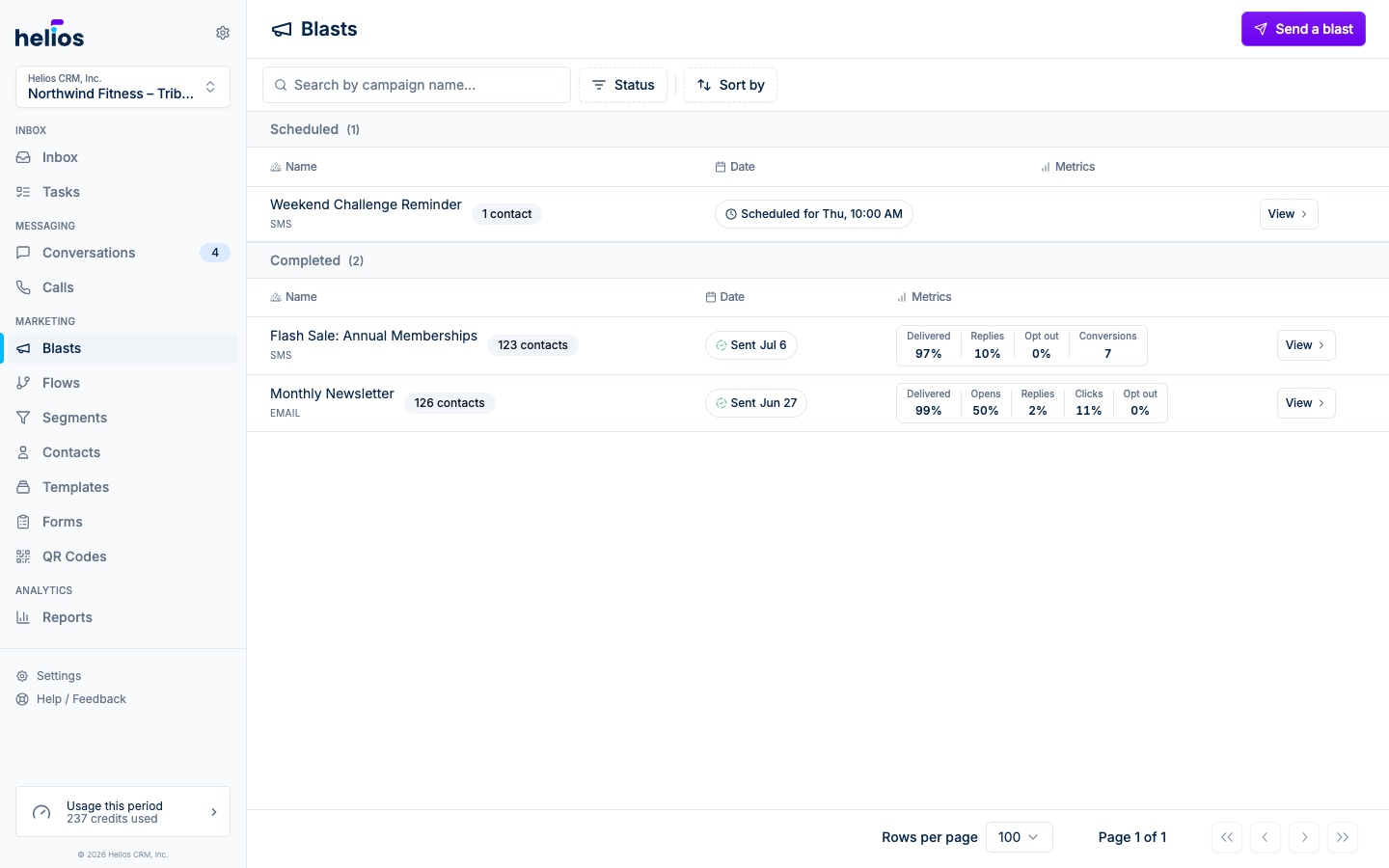
Send a blast
Click Send a blast in the top-right corner. Creating one is a three-step wizard: Select contacts → Compose message → Review & send.
Select contacts
Pick the list or segment that should receive the message. Every audience is one list: search by name, filter by Static List or Segment, and click Select list on the row you want. Each row shows a live contact count so you know the audience size before you commit.
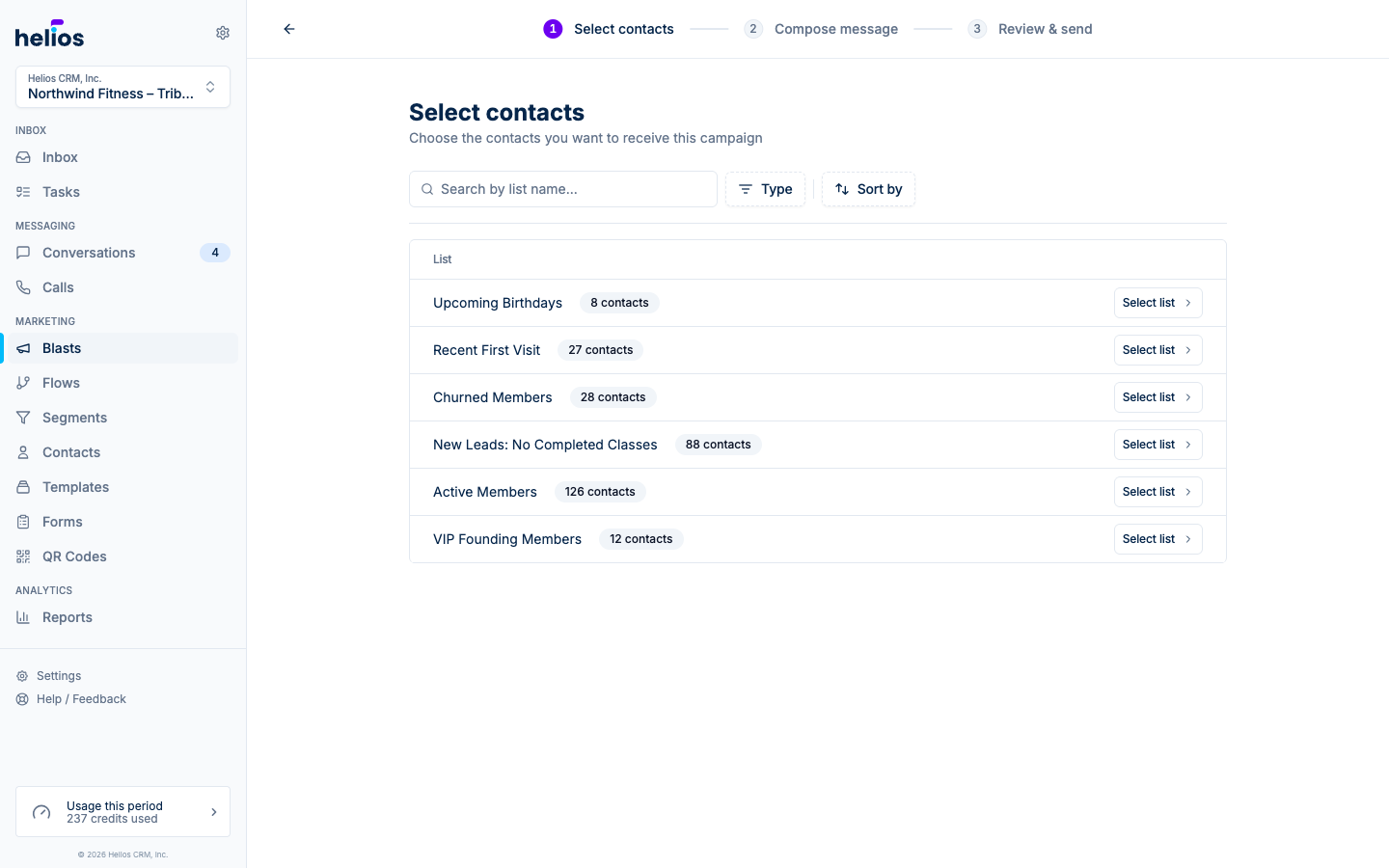
Don’t have the right audience yet? Build a dynamic segment first. It keeps itself up to date, so the blast goes to whoever matches at send time.
Compose message
Write the text. The composer gives you an emoji picker, an Insert field menu for personalization (first name and other contact properties), and image attachment for MMS. A live phone preview on the right shows exactly what recipients will see.
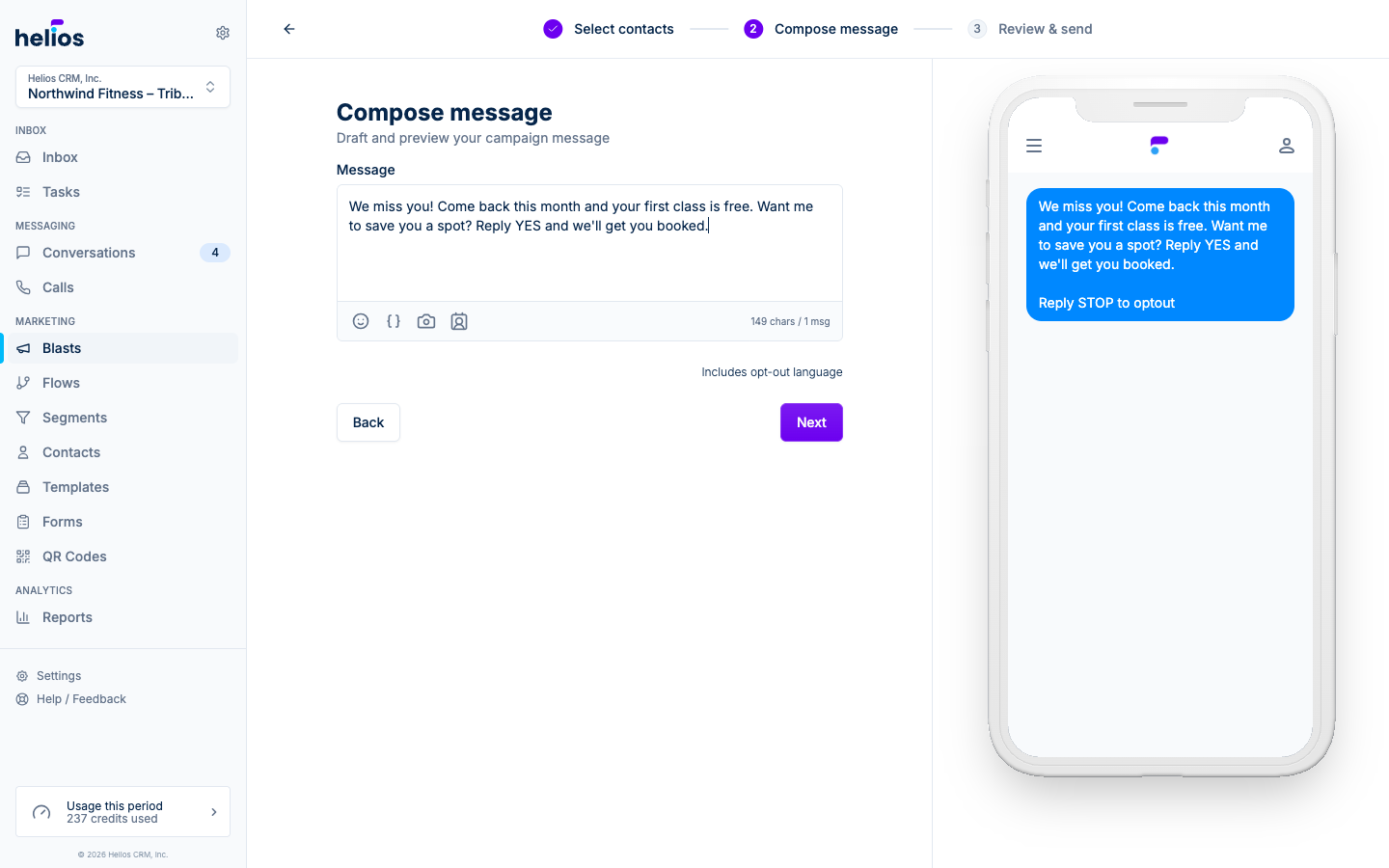
The counter under the field shows characters and message segments: that’s what the blast will cost in credits, per recipient. Helios automatically appends opt-out language (“Reply STOP to optout”), which is included in the count.
Review & send
Confirm the send-from number, the recipient list, and the estimated message credits. Then either Send now or pick a time (see Scheduling).
Before committing, use Send test message to text a copy to your own phone and check formatting, links, and merge fields.
Personalization
Use Insert field in the composer to drop in contact properties like first name. Each recipient gets their own values; contacts missing a value get the fallback you choose. The phone preview renders fields with sample data so you can sanity-check the result.
Blast states
| State | Meaning |
|---|---|
| Draft | Saved but not scheduled or sent. Edit it any time. |
| Scheduled | Queued for a future send time. You can still edit or cancel. |
| Queued / Processing | Actively sending to the list. |
| Sent | Delivered. Metrics accumulate as recipients open and reply. |
| Failed | The send couldn’t complete. Check the recipients tab. |
Next steps
- Email blasts: the same wizard with the email designer.
- Scheduling: send later, save drafts, cancel scheduled sends.
- Metrics and recipients: reading the results.