Comments and history
Discuss a task with your team and see a full audit trail of every change.
Click any task to open its detail panel: a side drawer on desktop, a full page on mobile. Everything is editable in place and saves automatically (you’ll see Saving… then Saved in the header).
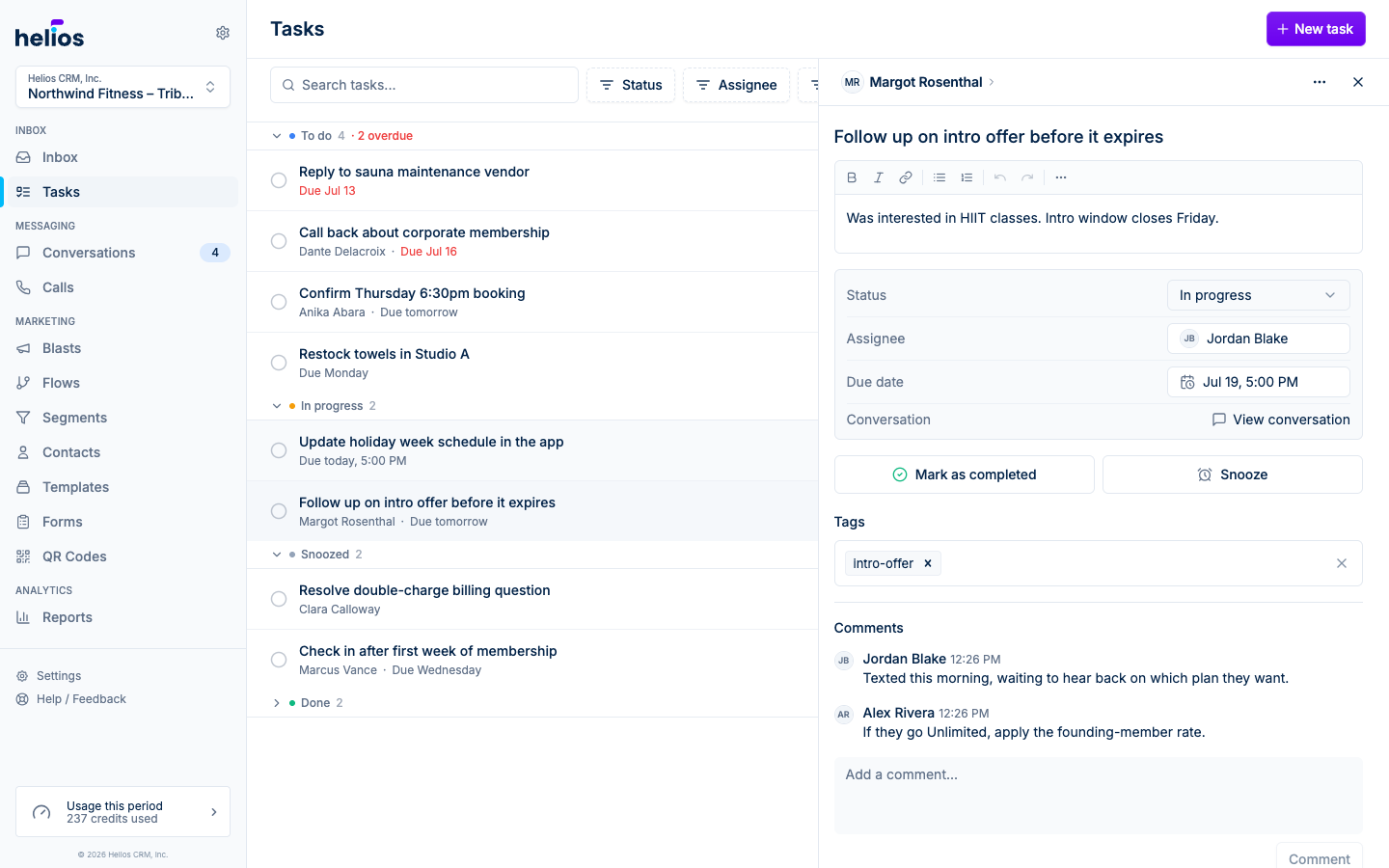
Comments
The Comments section at the bottom of the panel is where the back-and-forth happens: status updates, context for whoever picks the task up next, or the outcome of a call. Anyone in the inbox can comment; press Comment (or Cmd/Ctrl+Enter) to post.
New comments send a push notification to the people involved in the task (the assignee, the creator, and anyone who commented earlier), so nobody has to keep checking back.
You can delete your own comments; managers can also remove others’.
Task history
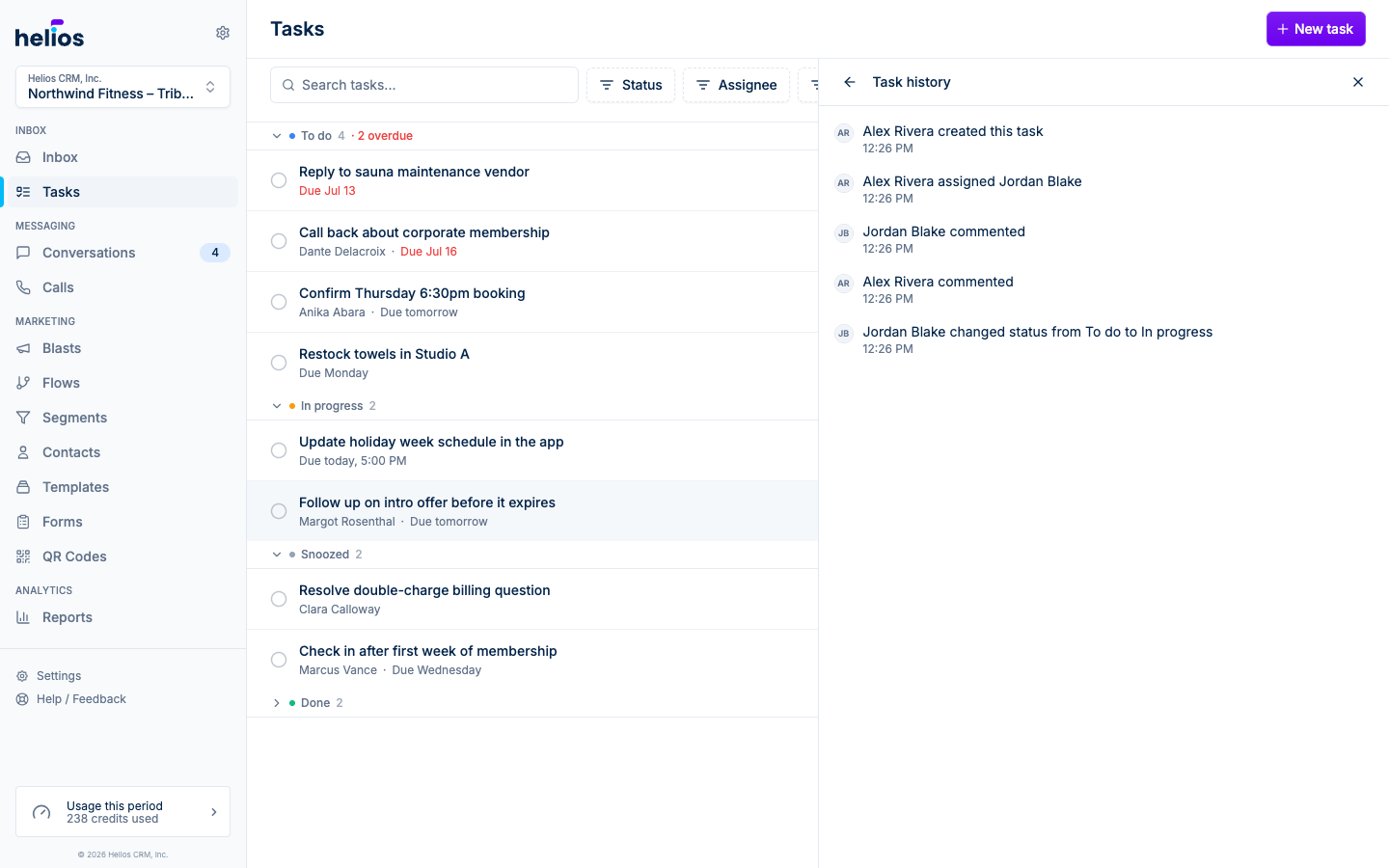
Open the actions menu (⋯) in the panel header and choose Task history for the full audit trail: who created the task, every assignment and status change, edits to the due date or details, and each comment, all timestamped. Changes made automatically (a flow creating a task, a snooze waking up) are recorded as System.
Copy link and delete
The same actions menu has two more entries:
- Copy link: a direct URL to the task, handy for pasting to a teammate.
- Delete task: permanently removes the task after a confirmation. There’s no undo, so prefer marking tasks Done to keep the record.