Statuses and due dates
The task workflow (to do, in progress, snoozed, done) plus due dates, overdue tracking, and reminders.
The four statuses
| Status | Meaning |
|---|---|
| To do | Ready to be worked on. New tasks start here. |
| In progress | Someone is actively on it. |
| Snoozed | Hidden until a wake time you pick, then it returns to To do. |
| Done | Completed. Kept in the collapsed Done section for reference. |
Change status however is fastest: the checkbox on any card or row (Mark as completed / Reopen task), the status dropdown, or dragging between board columns.
Snoozing
Snooze is for tasks that can’t move yet: waiting on a delivery, a callback window, a teammate’s return. The Snooze menu offers Later today, Tomorrow, This weekend, Next week, or Pick date & time… for anything else.
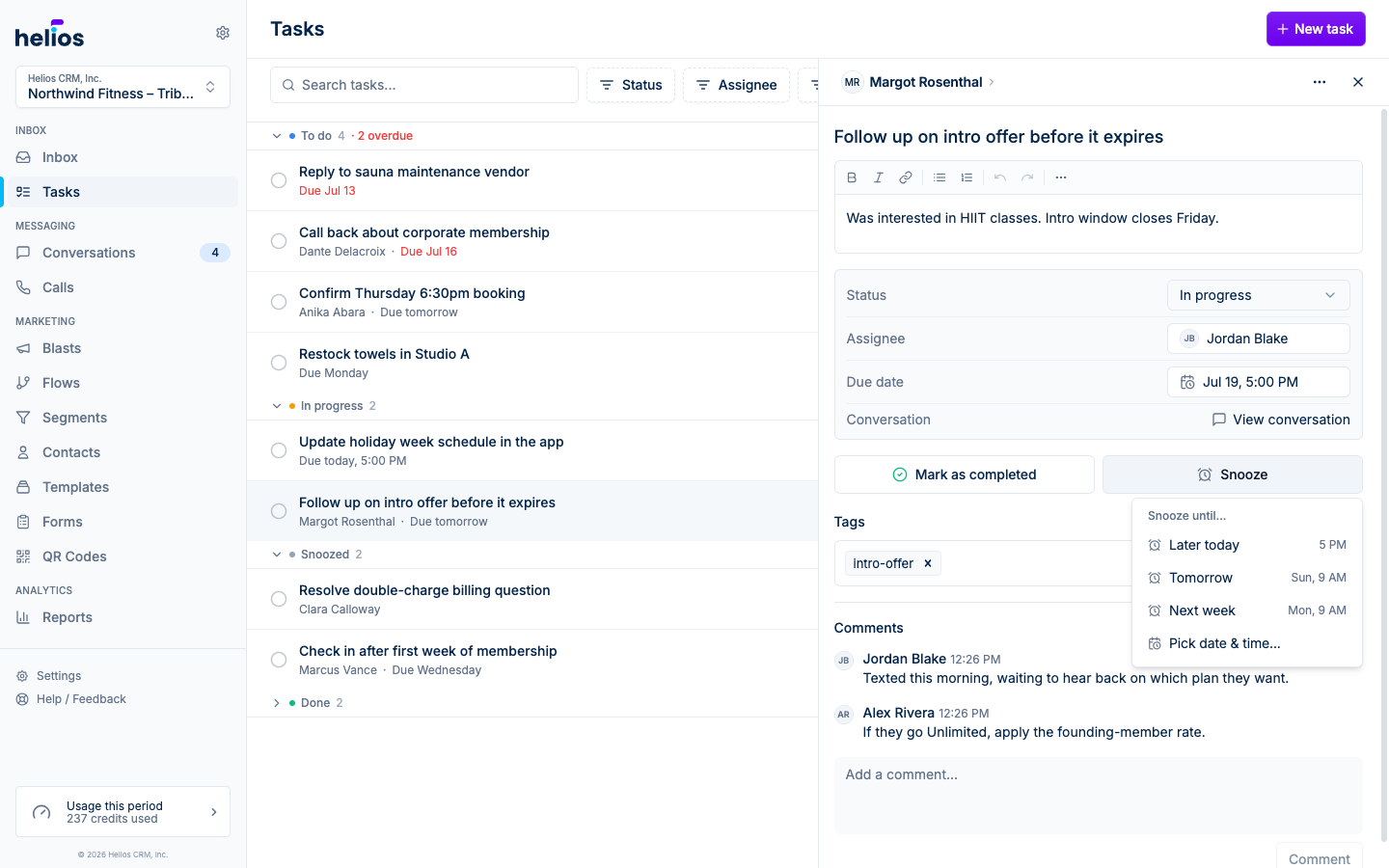
When the wake time arrives, the task automatically moves back to To do and the assignee gets a push notification that it’s back.
Due dates
Set a due date from quick presets (Today, Tomorrow, End of week, Next week) or pick an exact date and time from the calendar. Clear it with No due date.
Due dates drive three things:
- Sorting: the Tasks page orders by due date, soonest first.
- Reminders: the assignee gets a “due soon” push shortly before the deadline, and an overdue push if it passes uncompleted.
- Overdue flags: overdue tasks show their due date in red, section headers count them (for example “To do 4 · 1 overdue”), and the Overdue filter collects them all.
A task only counts as overdue while it’s incomplete: marking it done clears the flag.