Sharing and embedding forms
Share a hosted form, embed it on a page, or open it as a popup.
Open a form and select Share. Choose where people will see it, then Helios shows only the setup for that channel.
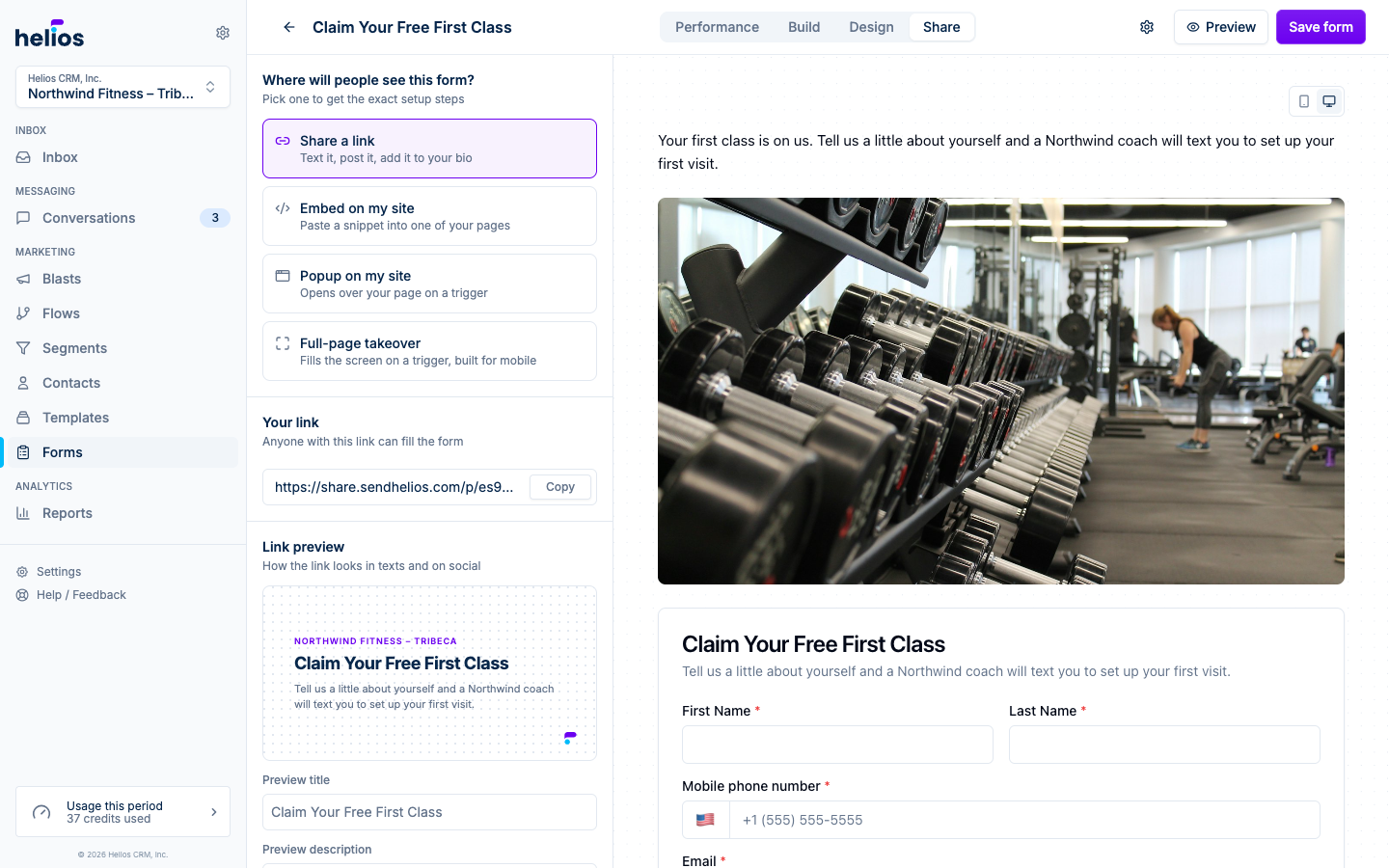
Share a link
Choose Share a link to copy the hosted URL. It works well in text messages, social profiles, email signatures, and QR codes.
The hosted page uses your form design, includes any content blocks you added, and opens at:
https://share.sendhelios.com/p/{formId}Download a QR code
The QR code section shows a ready-to-print code for the same link. Click Download PNG for a high-resolution image that works on flyers, posters, table tents, and the front desk. Scanning it opens the hosted form.
Customize the link preview
The Link preview section controls how the form appears when someone shares it in a text or on social media. Set a custom title, description, or image, or leave them empty to use the form title, subtitle, and branded default image.
Embed on a website
Choose Embed on my site. Helios prepares a snippet with your inbox’s site key and form ID already included.
- Copy the snippet.
- Paste the script once, just before your website’s closing
</body>tag. - Move the
<div data-helios-form="..."></div>line to the exact place where the form should appear. - Publish the page.
The Web SDK renders the form directly into the page, matches the form’s design, and grows to fit its content without a fixed height or nested scrollbar. Content blocks render with the form here too, and in popups and takeovers.
Open the form as a popup
Choose Popup on my site to open the form over a website page instead of placing it inline.
Install the Web SDK script once, then configure:
- Open when: after a delay, after the visitor scrolls, or when they show exit intent.
- Show it on: every page or only page addresses that contain a value you enter.
- Days before showing again: how long Helios waits after a visitor dismisses the popup.
For page targeting, enter part of the page address, such as /pricing. Use * to stand in for anything, such as /locations/*.
Open the form as a full-page takeover
Choose Full-page takeover to fill the visitor’s screen with the form when a trigger fires. It uses the same triggers as the popup and shines on phones, where a small popup can feel cramped: the form gets the whole screen, the page behind it stops scrolling, and a close button and the Escape key dismiss it.
If a form has both popup and takeover configured, the Web SDK shows the takeover.
Install Helios once for the whole website
When the Website settings page is available for your account, open Settings > Website to copy the base Web SDK snippet. Add it to your website’s global code settings once. Every current and future inline or popup form can use that same installation.
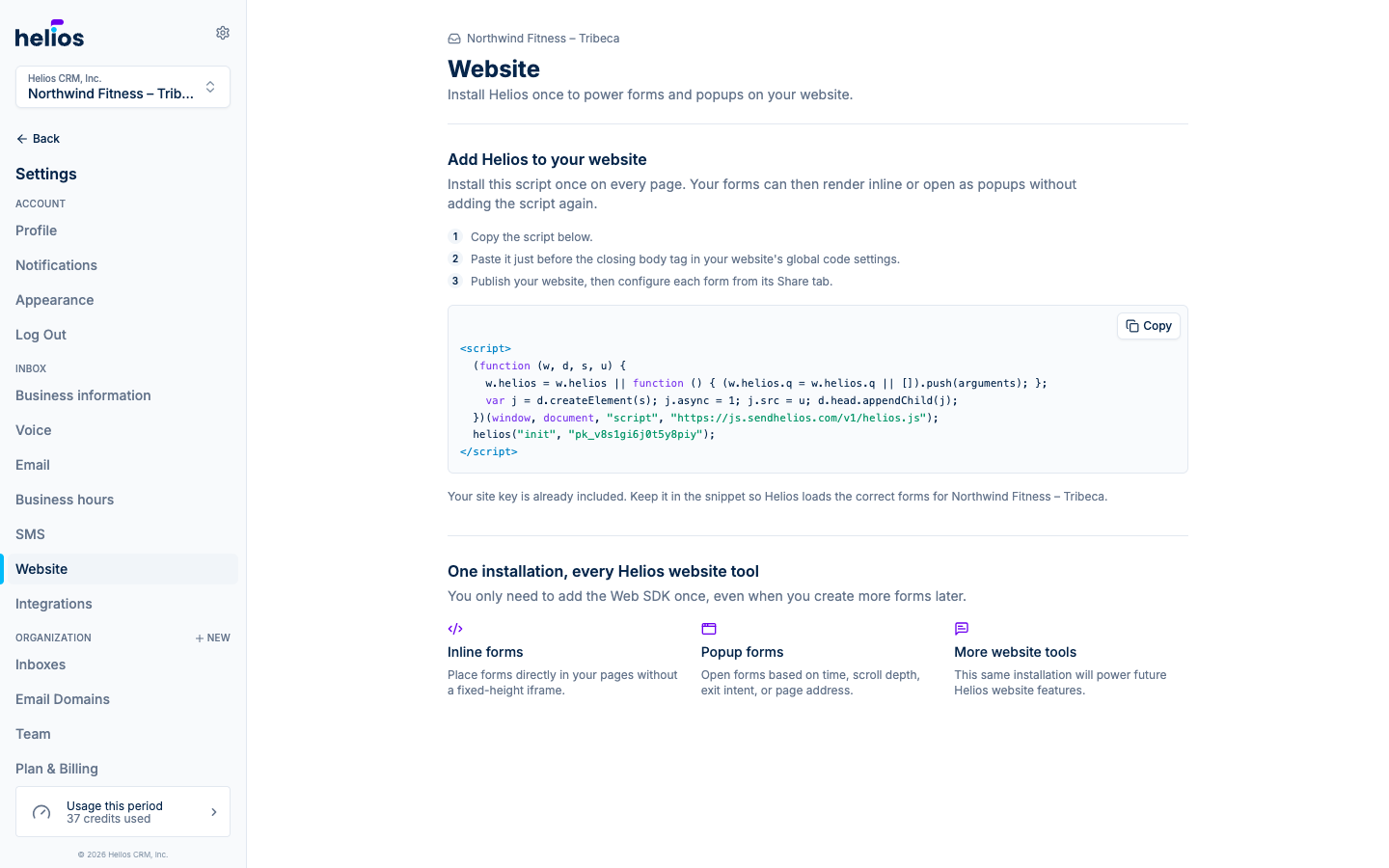
Existing iframe embeds
Previously installed iframe embeds continue to work. Helios no longer offers iframe code for new installations because the Web SDK resizes automatically and also powers popup forms.
Track where submissions come from
Each submission records a Referrer, visible in the submissions table. If the same form appears on several pages, the referrer identifies which page produced the lead.