Metrics and recipients
Read blast results (delivery, replies, clicks, opt-outs, and conversion revenue).
Open any blast to see how it performed. The detail page shows headline metrics, the message itself in a phone preview, and per-recipient tabs.
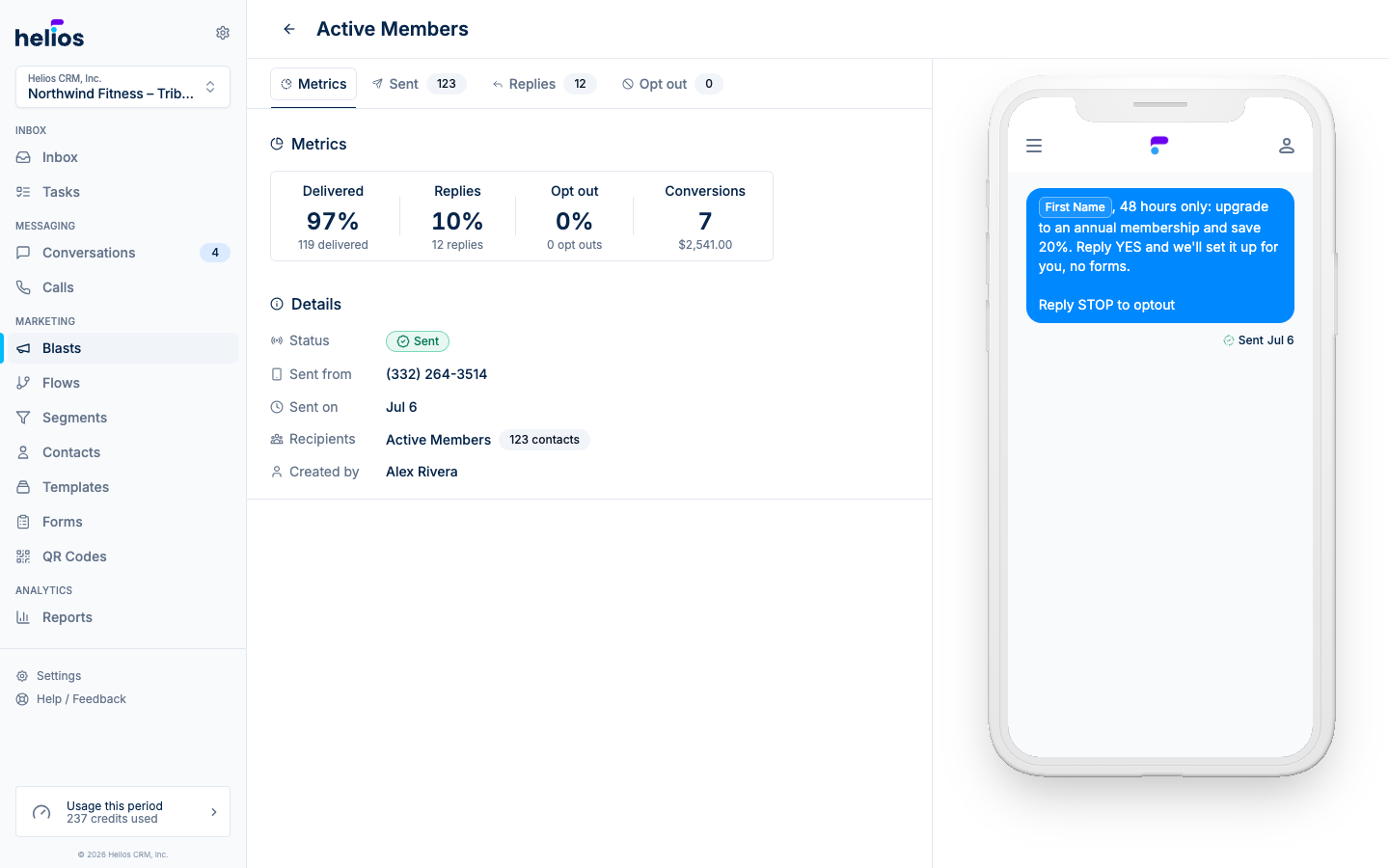
The metrics
| Metric | What it measures |
|---|---|
| Delivered | Percentage of messages that reached a device, with the raw count below. |
| Opens | Email only: recipients who opened the message. |
| Replies | Recipients who wrote back. Replies land in your inbox as normal conversations. |
| Clicks | Link clicks, for email or SMS with tracked links. |
| Opt out | Recipients who unsubscribed after this message. |
| Conversions | Purchases attributed to the blast, with revenue, powered by your connected integrations. |
While a blast is still sending you’ll see live Queued, Sent, and Failed counts instead.
Details
Below the metrics, the Details card records the blast’s status, the number it was sent from, when it went out, the recipient list (with contact count), and who created it.
Recipient tabs
The tabs across the top (Metrics, Sent, Opened for email, Replies, Clicks, Opt out) each carry a count and open a filterable people table. Search by name or phone number, or filter by action (Delivered, Failed, Replied, Clicked, Opt out).
Every row has a Message action that jumps straight to that person’s conversation, useful for following up with everyone who replied, one thread at a time.
Conversions and revenue
When a connected integration (Mariana Tek, Mindbody, Square, and others) reports a purchase from someone who recently received the blast, it’s counted as a conversion and the revenue is attributed to the campaign. That’s how the Blasts list can rank campaigns by actual dollars, not just delivery rates.