Inbox overview
One omnichannel thread per contact, with full customer context beside every conversation.
The unified inbox is where your team has 1 conversations with customers. Every channel a person uses (text messages, calls, voicemails, emails, and form submissions) lands in one continuous thread, so there’s a single, complete history of the relationship.
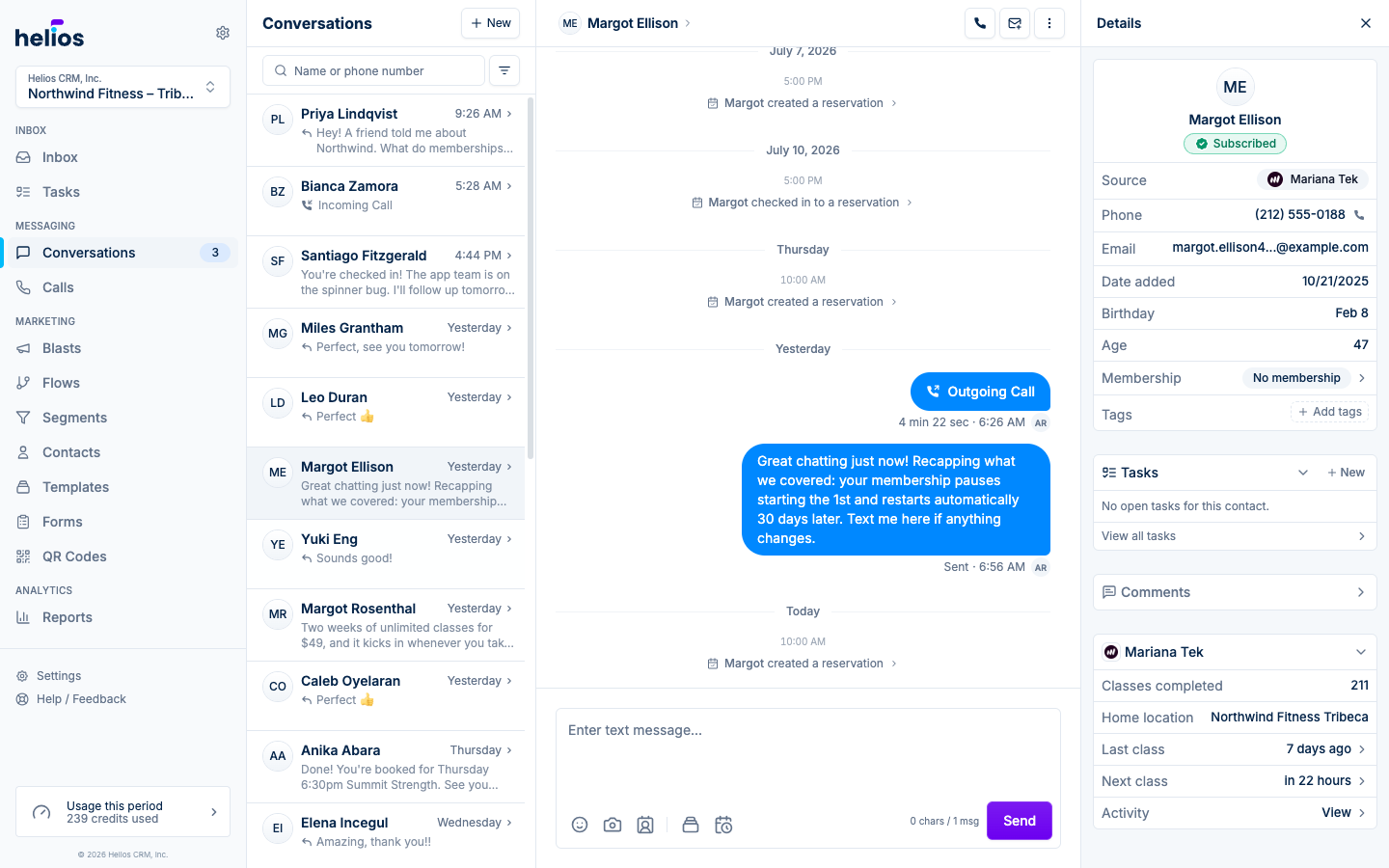
The pieces
| Area | What it’s for |
|---|---|
| Inbox | Your team’s daily starting point: thread list, search, and filters next to the open conversation. Chats, Calls, and Tasks tabs switch between those surfaces. |
| Stages | Who is in each lifecycle bucket, left to right along the customer journey. |
| Contact sidebar | Who you’re talking to: profile, membership, visit history, and integration data beside every thread. |
| Pulse | Insights about the gym, generated actions to review, and Ask Helios as a tab (and at the end of the feed). |
One thread, every channel
Open a contact and you see the full back-and-forth in time order:
- Text messages (SMS and MMS), including scheduled and automated sends
- Calls and voicemails, with transcripts and audio playback
- Emails, marked with an envelope icon and grouped by subject
- Form submissions from your Helios forms
Replies go out on the right channel from the same place, so nobody has to swivel between tools to answer one customer.
Built for teams
Everyone in the inbox sees the same threads. New leads notify the whole team; the first person to respond is assigned the conversation and owns it from there. Handoffs are explicit: reassign a thread and the new owner is notified and takes over.
Multiple inboxes (for example, one per location) are switched from the picker at the top of the sidebar. Team members can be scoped to just the inboxes they work in.
Working hours
Each inbox can define working hours per day of the week with a timezone. When a message arrives outside those hours, Helios sends your automated away message (the default: “We are currently closed. Please leave a message and we will get back to you as soon as possible.”). Configure this under Settings → Inboxes → your inbox → Working Hours.