Billing and usage
Your plan, message credits, invoices, and the usage meter.
Two settings pages cover money: Plan & Billing (what you pay) and Usage (what you’ve used).
Plan & Billing
The Current Plan card shows your plan and status, the next invoice date (with a View upcoming invoice link), and a Change plan button. Below it, Your Plan breaks down what’s included:
- Inboxes: how many phone numbers your plan includes.
- Platform fee: the monthly base.
- Monthly credits: the message credits included each month.
- Price per credit: what additional usage costs beyond the included credits.
Payment Method shows the card on file with a Change payment method action, and History lists every invoice with its status and a downloadable Invoice.pdf.
Usage
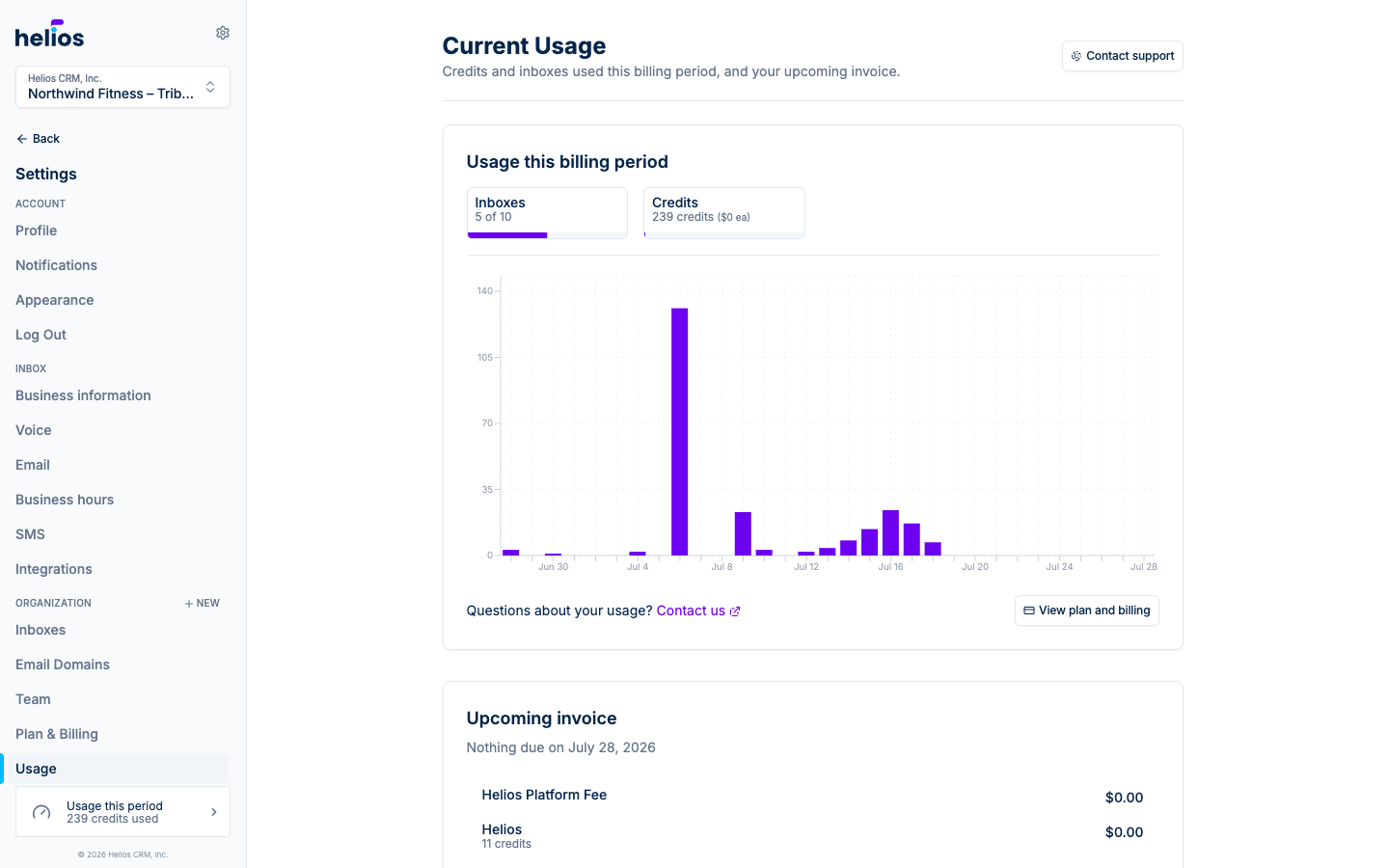
Current Usage shows the live picture for this billing period:
- Inboxes: e.g. “1 of 3” included inboxes in use.
- Credits: credits consumed so far, with the per-credit price.
- A daily usage chart, so a spike (a big blast day) is easy to spot.
- The Upcoming invoice card: the running total of what the current period will cost, including the platform fee and any usage beyond included credits.
The sidebar’s Usage this period widget links here from anywhere in the app.
How credits work
Credits are the currency of sending:
- One SMS segment costs one credit. Long texts split into multiple segments (roughly every 160 characters, less with emoji), so a 3-segment blast to 500 people costs 1,500 credits. The composer’s counter shows segments before you send, and the blast review step estimates total credits.
- Every 10 emails cost one credit, no matter how long they are. Emails are added up per inbox across the billing period and rounded up to a whole credit, so 500 emails cost 50 credits and 15 emails cost 2. Incoming emails are free.
- Your plan includes a monthly credit allowance; usage beyond it is billed at your per-credit price on the next invoice.
Watching costs? The Overview report’s Message Credits Used metric and tighter segments (send to fewer, better-targeted people) are the levers.