QR codes
Generate a texting QR code: scan it and a pre-filled text to your number opens.
The QR Codes page generates a code that, when scanned, opens the person’s messaging app with a new text to your Helios number and your chosen message pre-filled. They just hit send: no typing, no app, no form. It’s the fastest bridge from the physical world into your inbox.
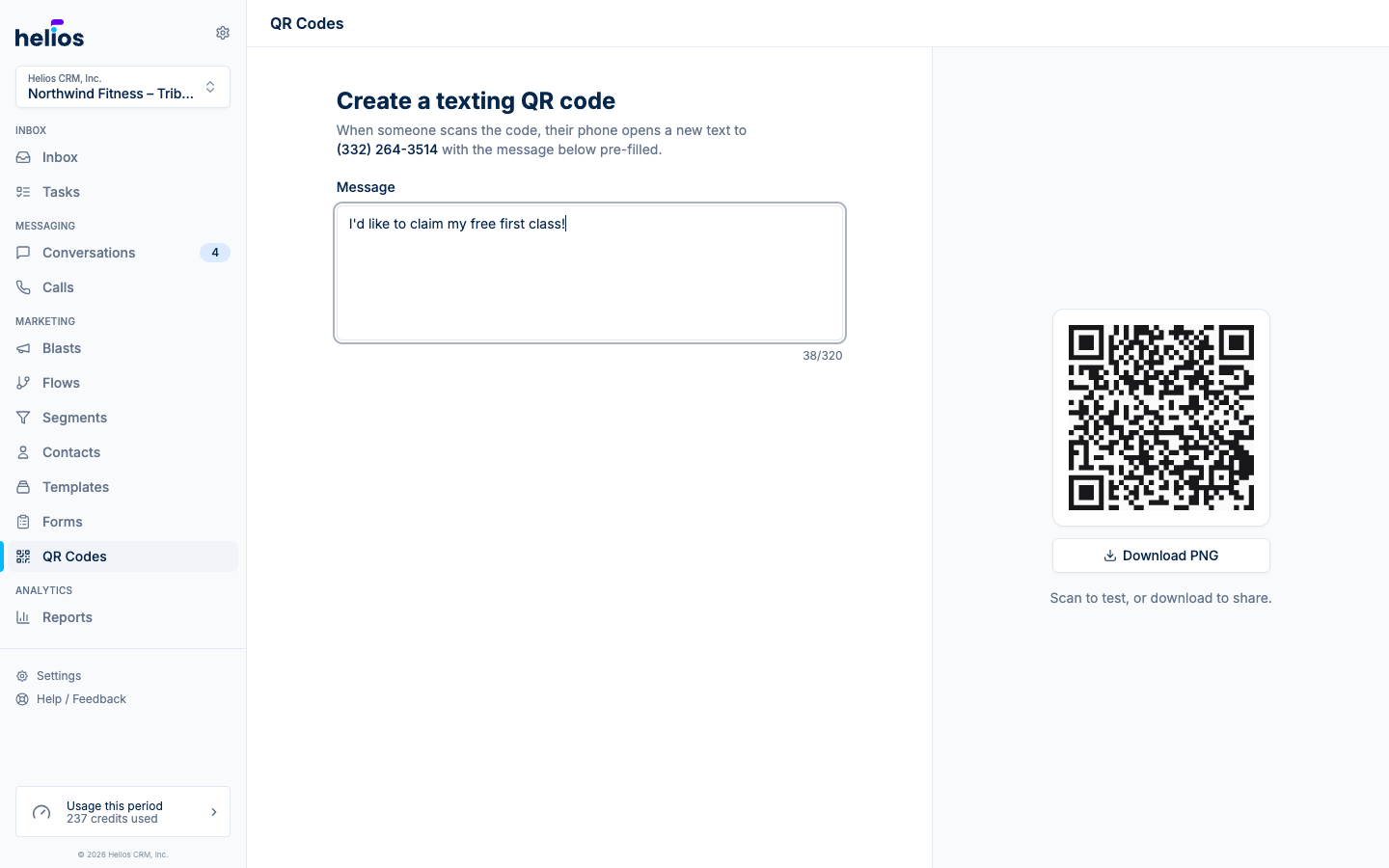
Create a code
- Open QR Codes in the sidebar.
- Write the Message the scanner’s phone will pre-fill, e.g. “I’d like to claim the free trial!” (up to 320 characters). Leave it empty and scanning just opens a blank text to your number.
- Scan the live preview with your own phone to test, then Download the PNG.
The download is a high-resolution 1024×1024 PNG (sms-qr-code.png), rendered dark-on-light for maximum scannability. Print it as large or small as you need.
Pair it with a keyword flow
The message is the magic: make it a keyword and let a flow handle everything after the scan.
- Set the QR message to something like “JOIN: I want the 7-day trial”.
- Create a flow with the New incoming text message trigger, matching the keyword
JOIN. - Have the flow reply instantly, add the contact to a list, and start the follow-up sequence.
Now a poster at the front desk enrolls people into a full nurture sequence with one scan.
Where QR codes work
- Posters, flyers, and window decals
- Table tents and front-desk signage
- Event booths and open houses
- Business cards and mailers
- Slides at the end of a class or presentation
Each placement can get its own code with a different pre-filled message. That’s your attribution: “GYM-A” scans vs “EXPO” scans tell you which sign is working.