Brand kit
Import and manage your gym's colors, logo, font, and brand voice.
Brand kit stores your gym’s visual identity and voice so forms, emails, and other Helios surfaces can use the same defaults.
Open Settings → Brand kit for the active inbox. The page is rolling out behind a feature flag; ask your Helios contact if you do not see it yet.
Import from your website
- Enter your website URL (pre-filled from Business information when you have one).
- Click Import from website.
- Wait while Helios fetches the homepage, analyzes brand signals, and prepares logos and images.
- Review the draft in the wizard, then click Save brand kit.
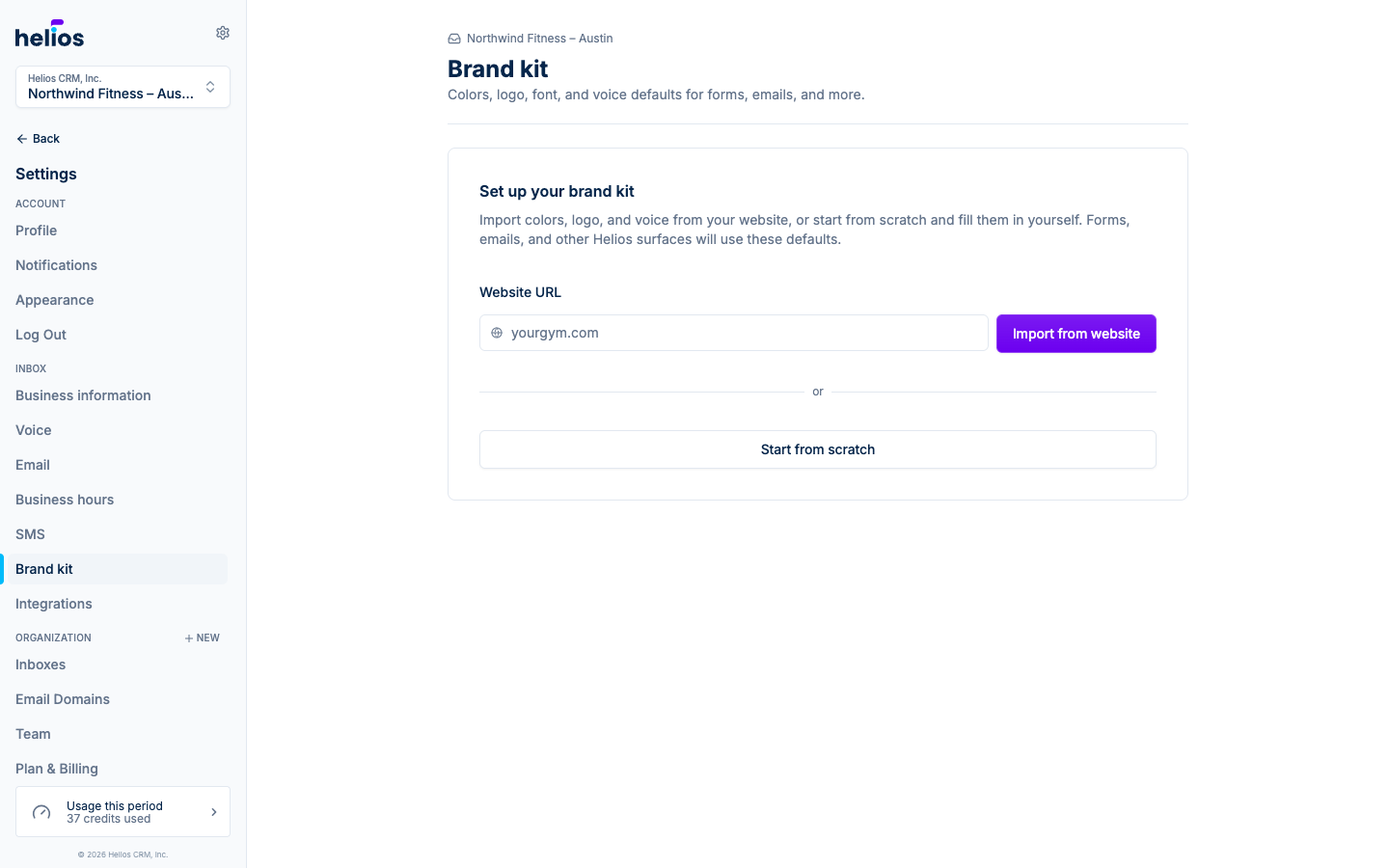
You can also click Start from scratch to open the wizard with an empty kit and fill everything in yourself.
If the import fails, the page explains why. Edit the URL and click Try again, or click Start from scratch to leave the failed import and fill in the kit yourself. Some websites block automated reads (often with HTTP 403). Trying the same URL again may keep failing until the site allows it.
Review wizard
The wizard has four steps, listed across the bottom of the card. Click any step to jump to it.
- Basics: brand name, color mode (Match visitor, Light, or Dark), logo, and icon. Import sets Match visitor when the homepage is light (even if the site also has a dark theme), or Dark when the page is still dark with light mode on. Match visitor follows each visitor’s light or dark setting.
- Colors: primary, secondary, accent, background, and foreground. Primary seeds form and email themes.
- Font & Style: font stack, corner radius, and shadow.
- Guidelines: markdown brand voice and business context.
A live preview sits beside the fields and updates as you type. Switch it between Light and Dark to check both derived palettes before saving.
Saved kits
Once a kit is saved, the page opens on a summary: your colors, font, style, and guidelines next to the preview. Click Edit brand kit to return to the wizard, and Cancel to leave without saving your changes.
Re-import
Use Re-import when your website branding changes. Confirm the URL in the dialog; the new import replaces the current draft. Unsaved edits are lost.
What Brand kit seeds
When a kit is ready, Helios copies its defaults into new artifacts at creation time. Editing the kit later does not restyle forms or templates you already saved.
- New forms: Match visitor color mode (unless the kit is locked to dark), brand color, font, and corner radius land on the Design tab. A short “Seeded from your Brand kit” note marks the provenance; every control stays editable.
- New email templates (and new emails in blasts and flows): the header uses the kit logo when present (otherwise the gym avatar), and new button blocks pick up the kit’s primary colors.
Gyms without a kit keep today’s defaults for both surfaces.