Static lists
Fixed groups of contacts you build by hand or import from CSV.
The Segments page (titled Lists & Segments) is home to both kinds of audience:
- A static list is a fixed group: members stay until you add or remove them.
- A dynamic segment updates itself from rules. See Dynamic segments.
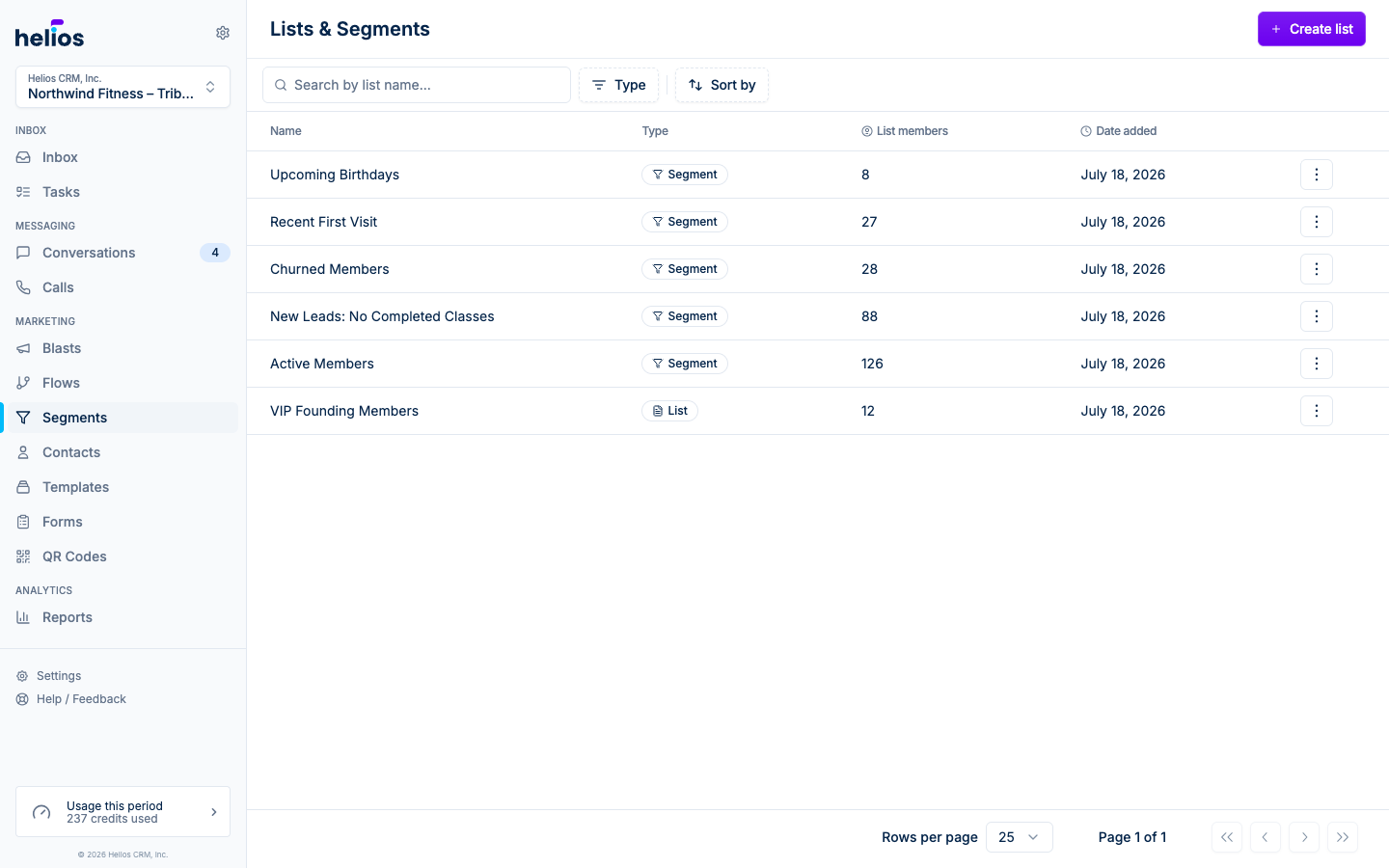
Each row shows the type (List or Segment), a live member count, and when it was created. The row menu jumps to View, Messages, or Compose message, which starts a blast to that audience.
Create a static list
Click Create list. The chooser offers templates and the two types: pick Static List.
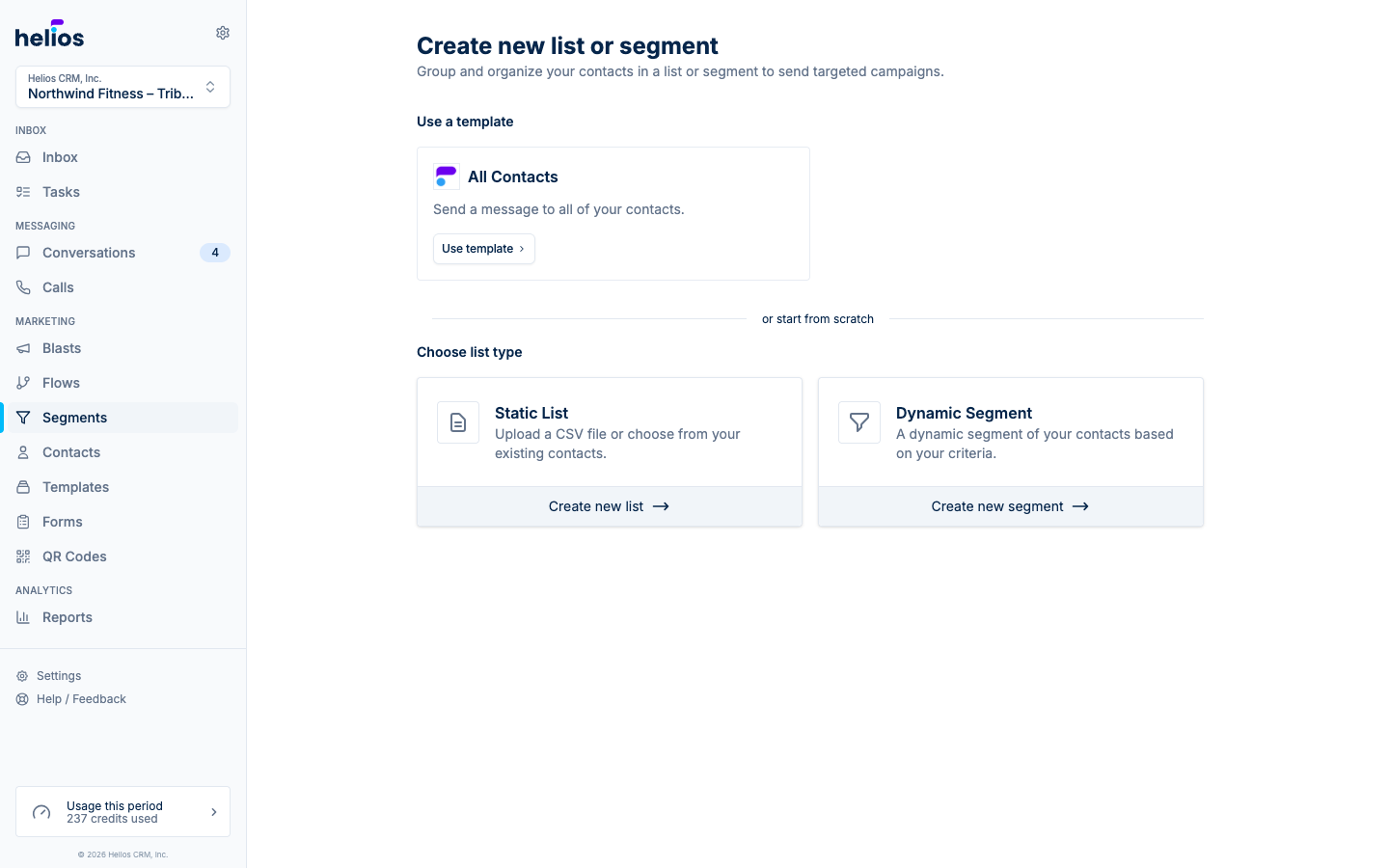
That opens the same import wizard used on Contacts: name the list, optionally upload CSVs, map columns, and preview every row.
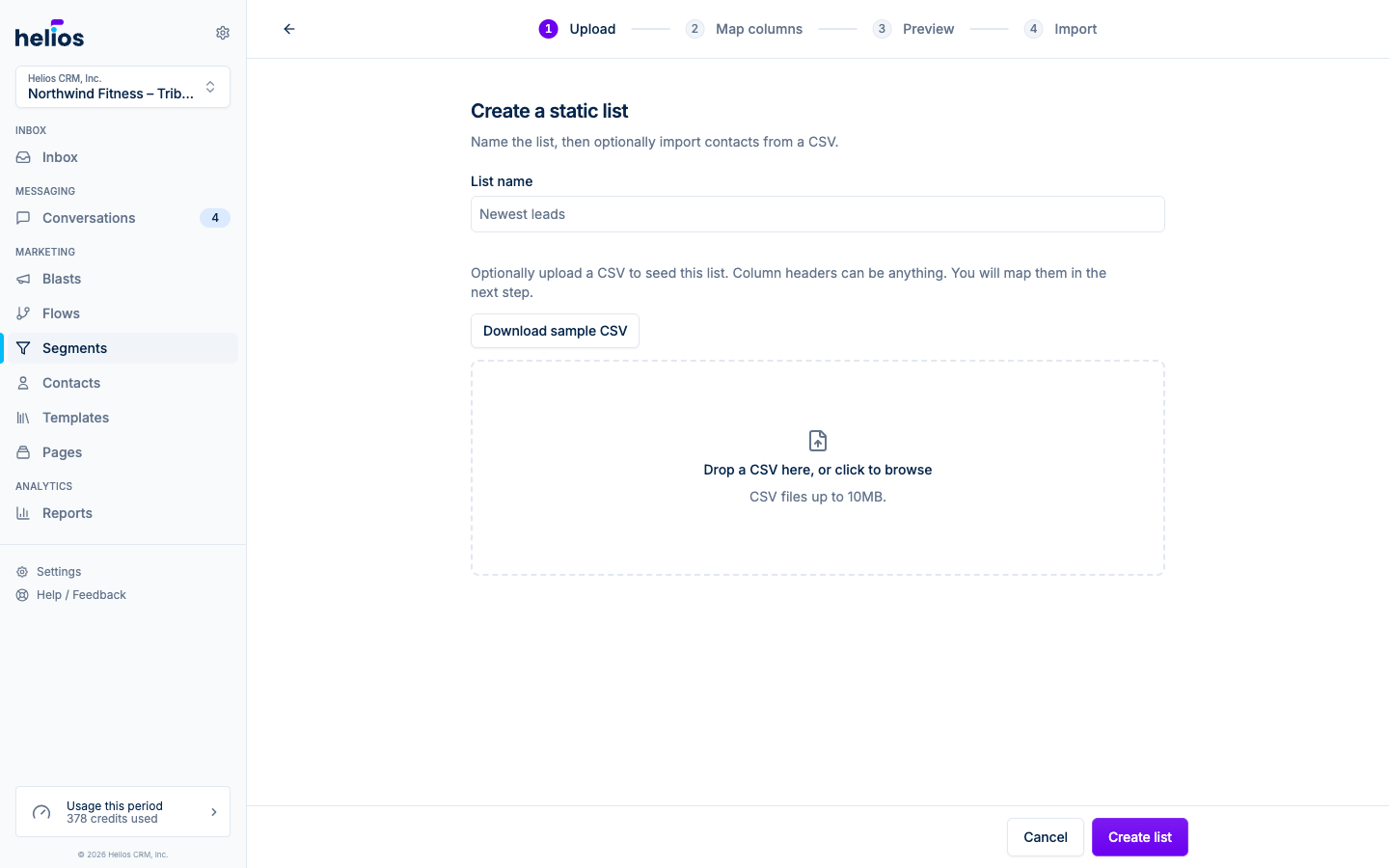
- Name your list. The name is required even if you skip the CSV.
- Optionally upload one or more CSVs (up to 10MB total) to seed the members. Files dropped together must use the same columns. Column headers can be anything; you map them in the next step.
- If you uploaded files, preview every row, confirm you have permission to message everyone in them, then import. Without a CSV, Create list opens the empty list so you can add people later.
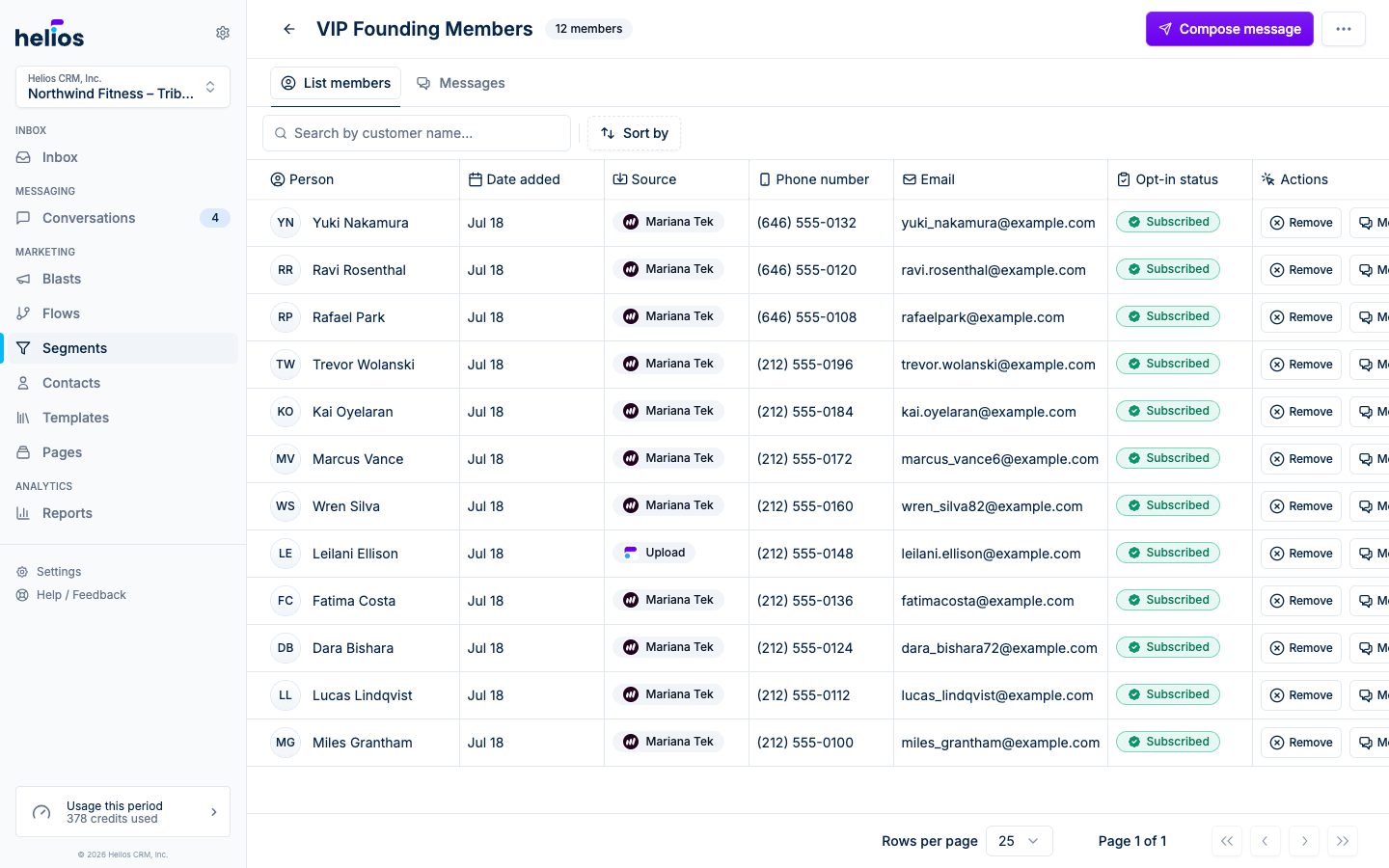
The list opens on a member table with name, source, phone, email, and opt-in status.
Add members later
Static lists grow in a few ways:
- From a contact: open anyone’s profile and use Add to list.
- From an import: Import contacts (from the Contacts ⋯ menu) creates the contacts and a static list with the import name. Creating a static list from Segments with a CSV uses the same wizard.
- From a flow: the Add to list action adds contacts automatically: for example, everyone who texts a keyword.
- From a form: forms can add submitters to lists on submission.
When to use a static list vs a segment
| Use a static list when… | Use a segment when… |
|---|---|
| The group is defined by an event (an import, a promo signup) | The group is defined by criteria (“active members”, “new leads”) |
| Membership shouldn’t change unless you change it | Membership should track your data automatically |
| A flow or form is adding people over time | You want blasts to target whoever matches at send time |