Profile and notifications
Personal account settings, push notifications, and appearance.
The personal section of Settings (Profile, Notifications, and Appearance) applies to your account only, not the whole organization.
Profile
Update your First name, Last name, and Email. Passwords change via Request password reset, which emails you a reset link.
Notifications
Control push notifications for the web app and the iOS app:
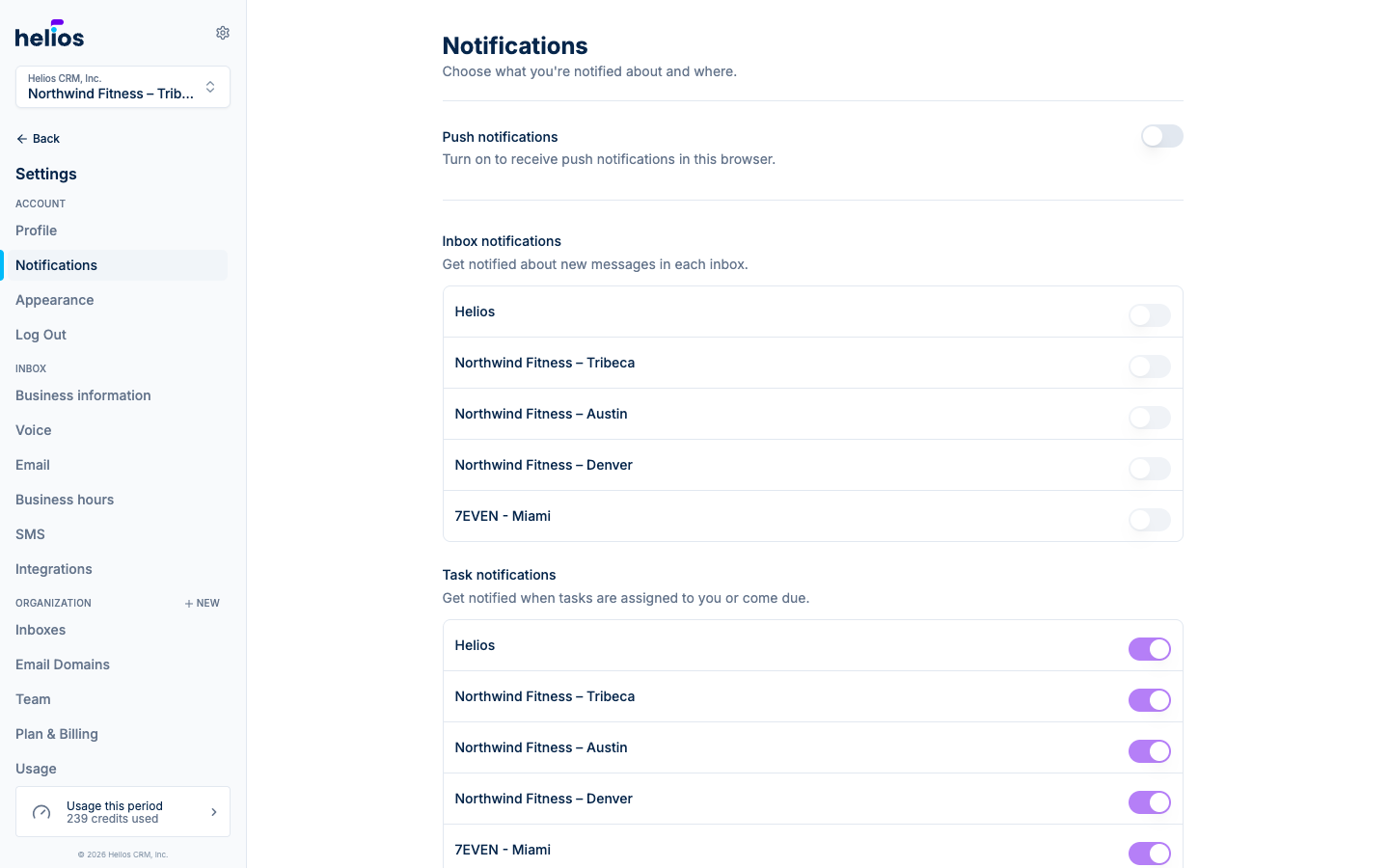
- The top switch enables or disables push notifications entirely. If the banner reads Push notifications are disabled, flip it on (your browser will ask for permission the first time).
- Inbox notifications: a per-inbox toggle. If you only work one location’s inbox, turn the others off and keep your lock screen quiet.
- Incoming Calls: whether your devices ring for inbound calls to your inboxes.
You’ll be notified for new incoming messages and when a conversation is assigned to you.
Notification preferences are per-user: your toggles don’t affect teammates, so everyone can tune their own signal-to-noise.
Appearance
Choose System, Light, or Dark. System follows your OS preference.