Call log and voicemail
Review call history, catch missed calls, and listen to voicemails with transcripts.
The Calls tab is your inbox’s call history: every incoming, outgoing, and missed call, plus voicemails, in one list. Open Inbox in the sidebar, then Calls next to Chats.
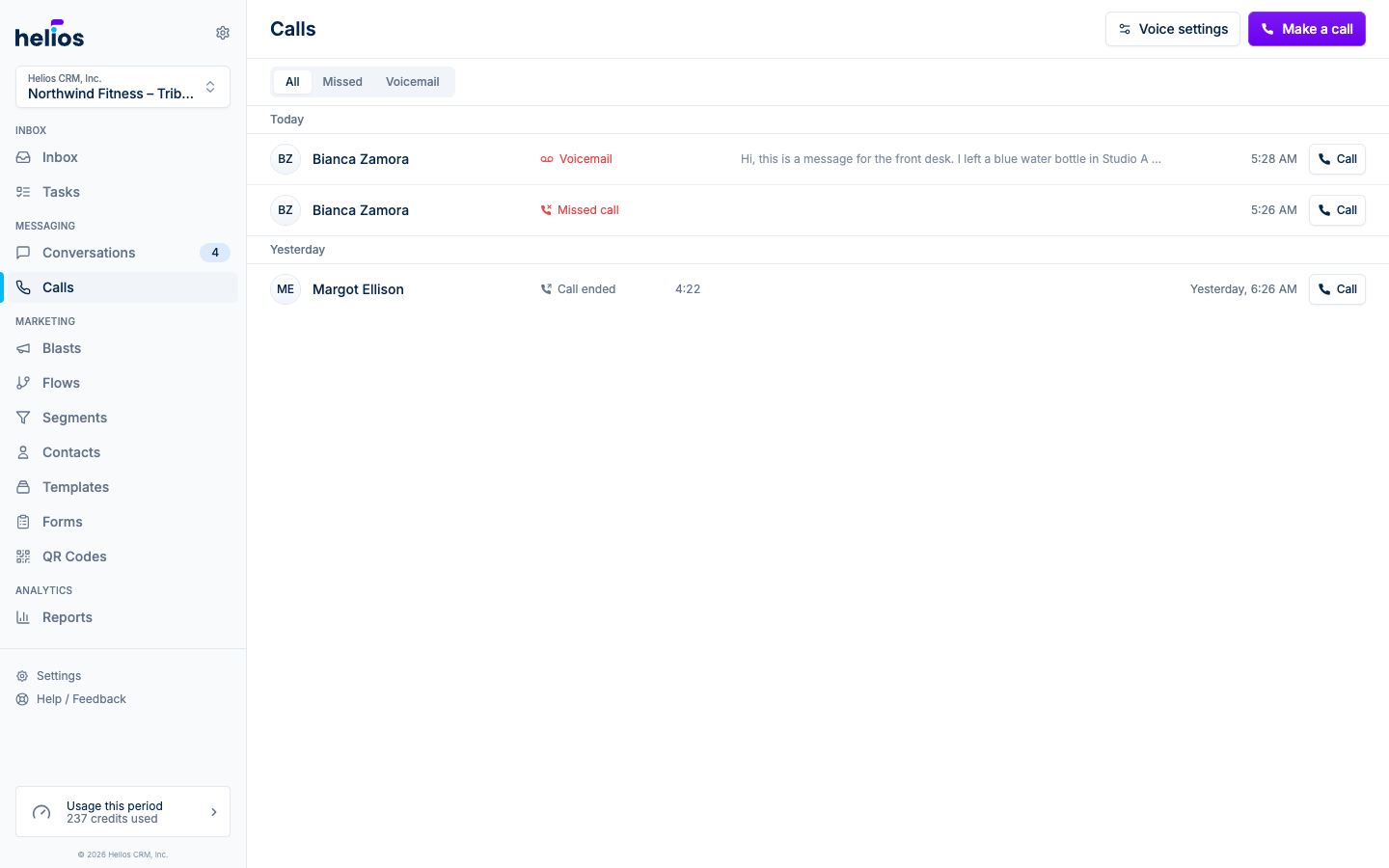
The call list
Calls are grouped by date (Today, Yesterday, This week, and so on). Each row shows:
- The contact’s name and avatar, or the phone number for unknown callers
- What happened: Call ended, Missed call (in red), or Voicemail
- The call duration
- A transcript preview for voicemails
- A Call button to ring them back in one click
Select a call to open the full conversation thread beside the list, with the complete history for that contact.
Filters
The bar under the tabs matches the conversation list. Filters stack, so you can turn on Missed and Voicemail together (the list then shows both kinds).
- Search (magnifying glass): opens a full-width field for name or phone number. Escape closes it; the X button clears the query.
- Missed: calls your team didn’t answer.
- Voicemail: calls where the caller left a message.
- Direction: All (default). The button reads Direction until you pick Incoming or Outgoing.
If nothing matches, the list says no calls found and offers Clear all filters.
Voicemail playback
Voicemails appear both here and in the contact’s conversation thread. Each one has an audio player and an automatic transcript, so you can scan the message without headphones and reply by text right from the thread, often faster than calling back. Transcripts are always shown in English, so a message left in another language is translated for you.
On iPhone, when a voicemail finishes playing, a follow-up sheet offers a text, a note, or a task, the same sheet that appears after you hang up a call. Turn it off under More → Preferences → Voice Calling (Follow up after calls and voicemails).
Missed call follow-up
Missed calls show in red in the call list, in thread previews, and in the conversation itself. Since a missed call lives in the same thread as texting, the fastest recovery is usually a quick text: “Sorry we missed you, how can we help?” sent right from the thread the call landed in.