A new contact import wizard, and email-only contacts
Importing contacts from a CSV no longer means guessing at column names and hoping every row made it. The import wizard lives on its own page: you name a static list on the way in, and contacts can now be created with just an email address.
- Map your columns: every column from your file is matched to a Helios field automatically, with sample values so you can check the match. Extra columns become custom properties with a type of your choice (Text, Number, Date).
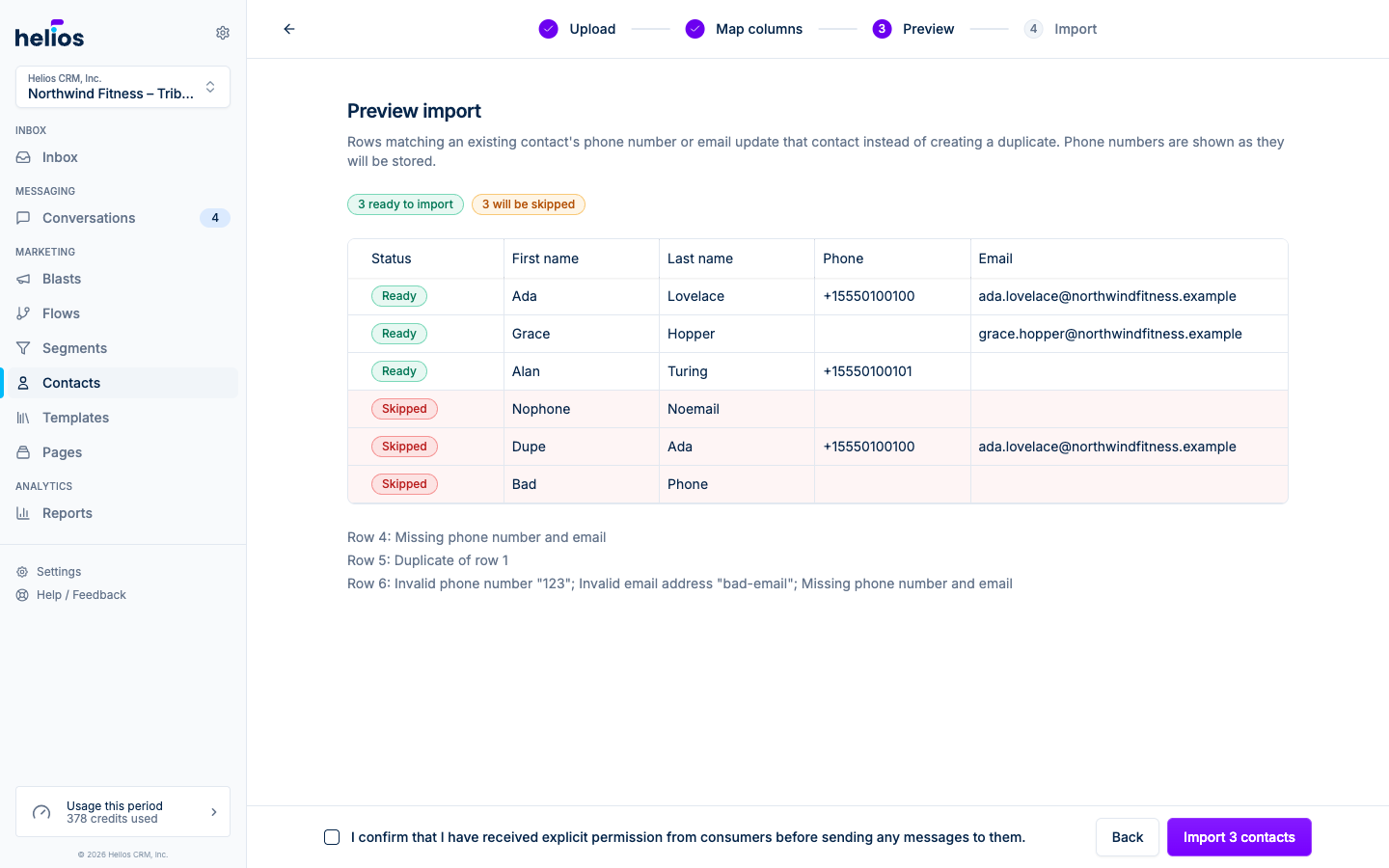
- Preview before you import: every row is validated up front. Formatted phone numbers, invalid emails, and duplicate rows are flagged with the reason, and the results screen reports exactly how many contacts were created, updated, and skipped, with a downloadable CSV of skipped rows.
- Email-only contacts: a contact now needs a phone number or an email address, not always a phone. Import email-only lists, create email-only contacts by hand, and reach them by email until you have a number.
Read more in the importing and exporting docs.