A contact page built around the conversation
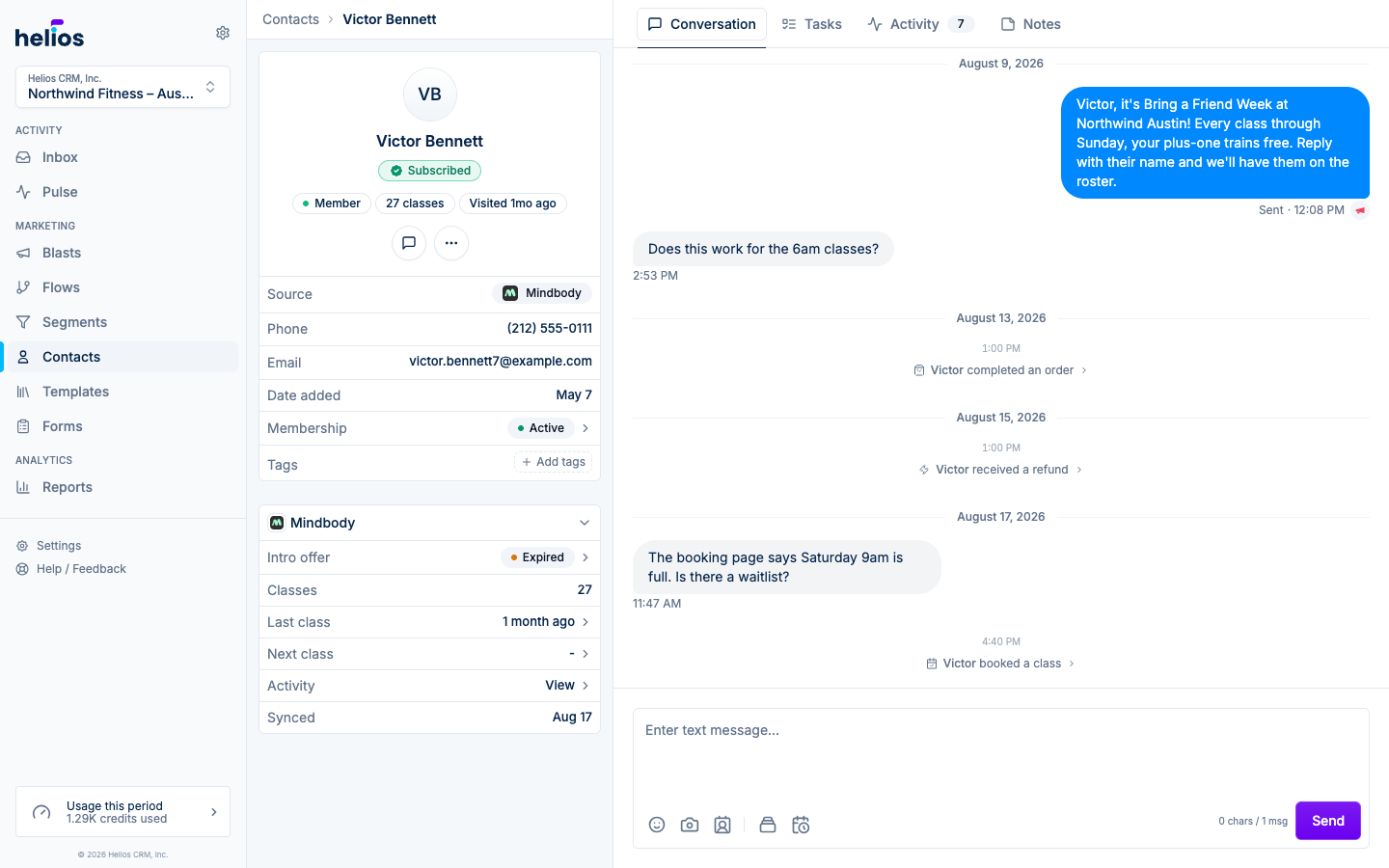
The contact profile now puts the person on the left and the work on the right. The details panel is the same contact sidebar you already know from the Inbox, with at-a-glance chips for funnel stage, visits, and reachability, and the tabs beside it open on an overview and hold their notes, tasks, conversation, and activity.
Cards on the Stages board open this profile on Overview, so membership, visits, and notes are ready before you decide how to follow up.
- The overview reads like a briefing: the Overview tab opens with booking-system facts laid out to scan: membership, an active or recently expired intro offer, completed classes, last visit, next booking with the class, credits left, and no-shows. Membership, intro offers, and scheduled visits open their full details. Below it, the Class visit history card shows a year of attendance, one square per day, shaded darker the longer the run of consecutive days it belongs to, with how often they come and their longest streak in the header; hover a day for each class and where it falls in a streak, or switch to any past year on record. Then a Visit log button drops prompts into the note composer (who they came with, what they said, what the coach saw, whether they bought) so a first-timer’s visit takes seconds to record.
- Text from the profile: the Conversation tab shows the contact’s thread with studio events inline, and the composer is right there. No thread yet? Send the first text without leaving the page.
- The person on the left: name, funnel stage, class count, last visit, and reachability as chips, with the key insight when Helios has one, then source, contact details, membership, and tags. The membership row still drills into reservations, passes, and offers.
- Tasks and notes in one place: open tasks for the contact with a quick New task button. Overview keeps note-taking fast with a compact composer, note count, and All notes link, while the Notes tab holds the full history with formatting, links, emoji, and inline editing.
- Navigation that follows you: tabs, Activity and Tasks filters, and open details are reflected in the URL, so browser Back and Forward return through the profile exactly as you used it.
- Built for every screen: phones and tablets use a full-width Details tab, horizontally scrolling navigation, and sheets for drill-downs. Wider screens add the persistent contact panel and place drill-downs beside the active tab when both remain readable.
Read more in Managing contacts.