Notes and tasks get their own tabs in the contact sidebar
The contact sidebar beside every conversation now opens with three tabs: Details, Notes, and Tasks. The profile and booking-system context stay on Details, and the team’s notes and the contact’s tasks each get a full-height tab instead of collapsible sections you had to scroll to and expand.
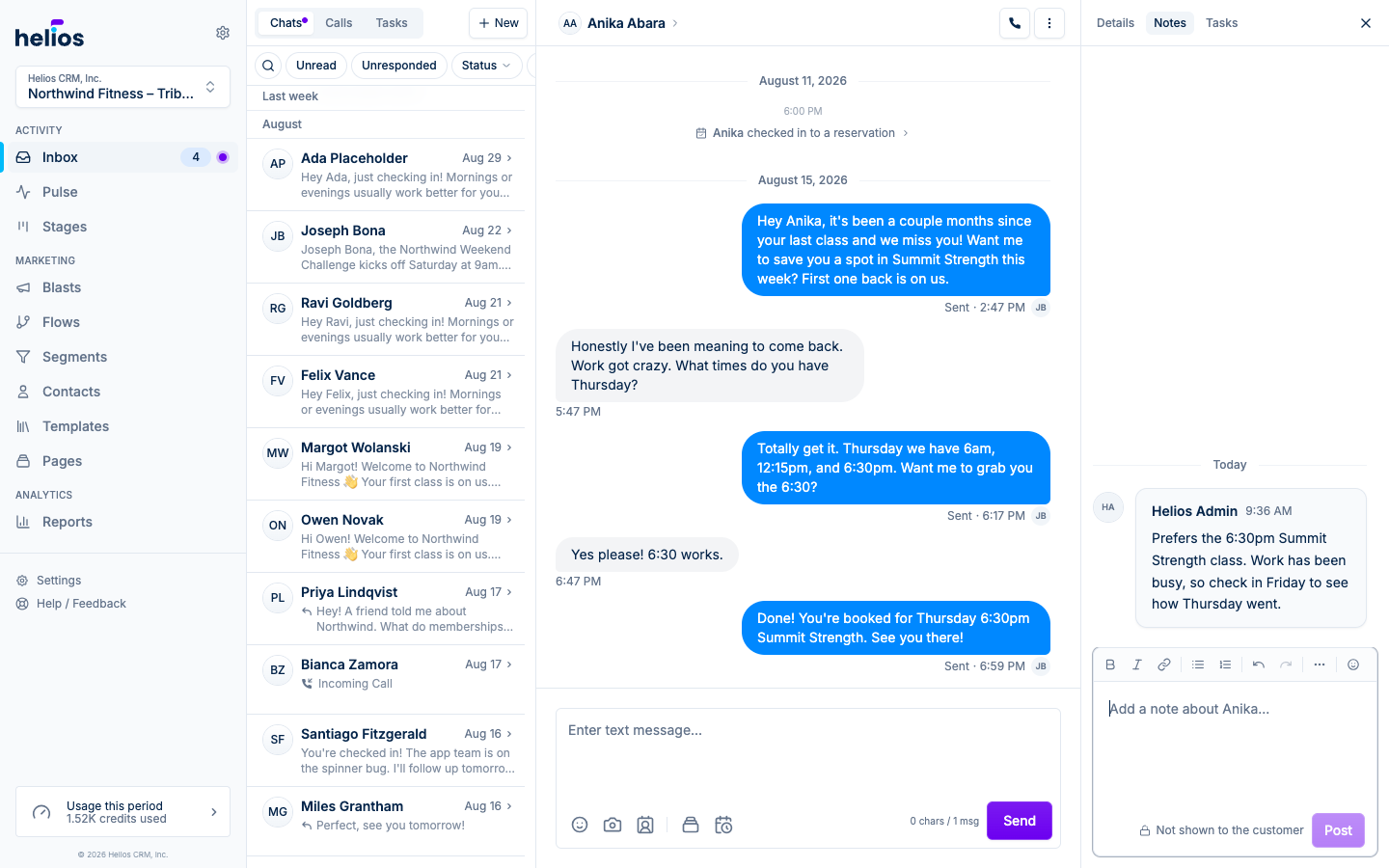
- Notes, laid out like a conversation: the Notes tab is the same notes experience as the contact page, with the newest note at the bottom, day separators, formatting, links, emoji, and inline editing. The composer stays pinned underneath, so writing a note while you read the thread takes one click. Notes are never shown to the customer.
- Tasks with room to work: the Tasks tab lists the contact’s open tasks, switches to Done for history, and creates a pre-linked task with New. Click any task to open it right in the sidebar.
- Back to where you were: opening a membership, reservation, or task from any tab shows a breadcrumb in its place, and the first crumb returns you to that tab. On phones and tablets the same tabs sit in the contact drawer’s header.
Read more in The contact sidebar.